What Analysis Can Be Done Directly in SpinFire Insight?
Spinfire Insight provides users with a powerful, intuitive way for teams of all experience levels to interact with engineering data without CAD software. While simply viewing the 3D model is great for collaboration, sales, and much more, SpinFire Insight has far more features than some people realize, including tools for design analysis, quick measurements, deeper inspection of the model, and more.
In this post, we'll cover:
Why SpinFire Insight?
While engineering data has always been incredibly valuable, modern organizations are increasingly seeing the data play a role across the entire organization. This is driven by several forces: the demands of diversified, international collaboration and supply chains, integration of more advanced electronics and software into designs, and smarter systems like digital twins and AI all require engineering data to do more and be more accessible. Companies are expanding CAD data access across the entire organization.
CAD viewers, like SpinFire Insight, enable this accessibility and collaboration at a fraction of the cost and complexity of providing CAD licenses across the board. They allow non-CAD users a way of getting the answers they need without having to ask the engineering team and can provide utility across all areas of a modern business.
So, what exactly can be done directly in SpinFire Insight? As it turns out, quite a lot.
SpinFire Insight includes analysis tools for taking precise measurements, comparing revisions, and calculating mass properties, all without a CAD license.
SpinFire Insight Analysis Tools at a Glance
| Tool | What it tells you | Who it helps |
|---|---|---|
| Draft Angle Analysis | Whether a part will release cleanly from the mold | Tooling, manufacturing |
| Wall Thickness Analysis | Where walls are too thin or uneven | Quality, manufacturing |
| Model Compare | What changed between two revisions | Quality, engineering, procurement |
| Smart Dimensioning | Accurate measurements in a click or two | Everyone |
| Tube Length | Pipe and tube lengths, bend points, CSV export | Manufacturing, purchasing |
| Mass properties | Volume, weight, surface area, center of mass | Sales, purchasing, cost estimating |
| Bounding Box | The overall size of a part | Logistics, packaging |
Design Analysis
Design analysis tools provide users with a detailed understanding of a model, helping assess if a model is ready for manufacturing. In SpinFire Insight, these tools display results as color maps on the model, making results easily digestible even for those who aren't CAD experts. Any analysis can also be saved as a user view, so you can come back to it later or mark it up and share it across teams. Some of the specific tools available to you include:
Draft Angle Analysis
The draft angle is a taper on the walls of an injection molded part to help it slide out of the mold. Get it wrong and parts can stick, drag, or come out with damaged surfaces. With Draft Angle Analysis you can confirm the draft is right before tooling is ever cut. It also shows projected areas, giving you more information about how the part will sit in the mold.
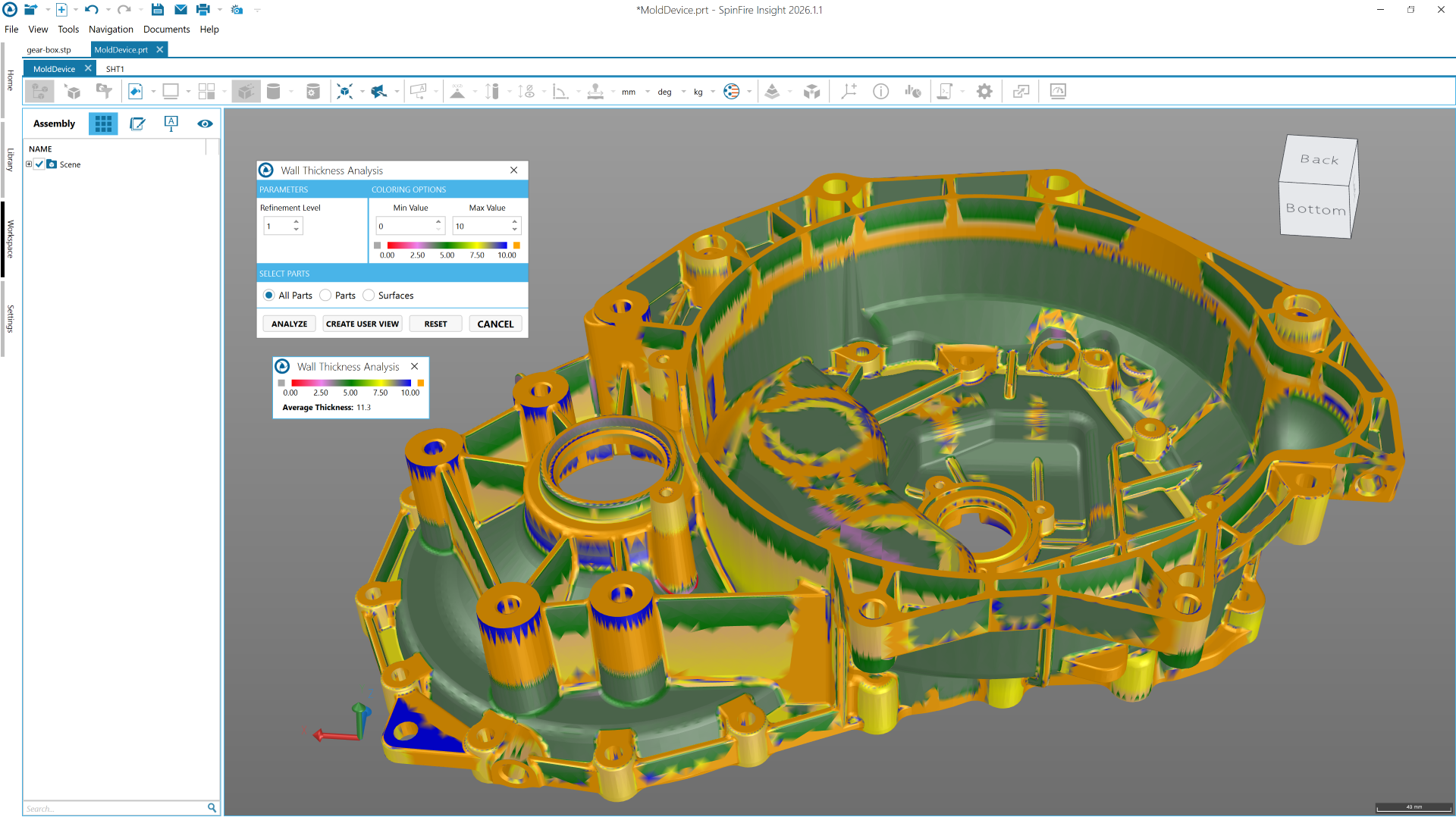
Wall Thickness Analysis
Quick analysis of Wall thickness is essential for many industries, including additive manufacturing, which serves as a great example of the utility of this feature in action:
When walls cool unevenly, it can cause a range of manufacturing issues: warping, sink marks, and weak spots. Wall Thickness Analysis highlights areas that are too thin or too thick, so you can catch problems in a design review rather than when parts are first being made.
Curvature Analysis
Curvature Analysis allows teams to see how smoothly surfaces flow into one another. Areas where curvature changes abruptly stand out immediately, helping you spot surfaces that could cause visual or manufacturing problems further down the line.
Model Compare
Model Compare can be very valuable to teams in and outside of engineering, allowing you to load two similar versions or components and highlight the differences. Quality assurance teams can confirm that a supplier's revision matches what was agreed. Procurement can check whether a design change affects a quote. Engineers can verify that a change request was made exactly as intended.
Measurement Tools
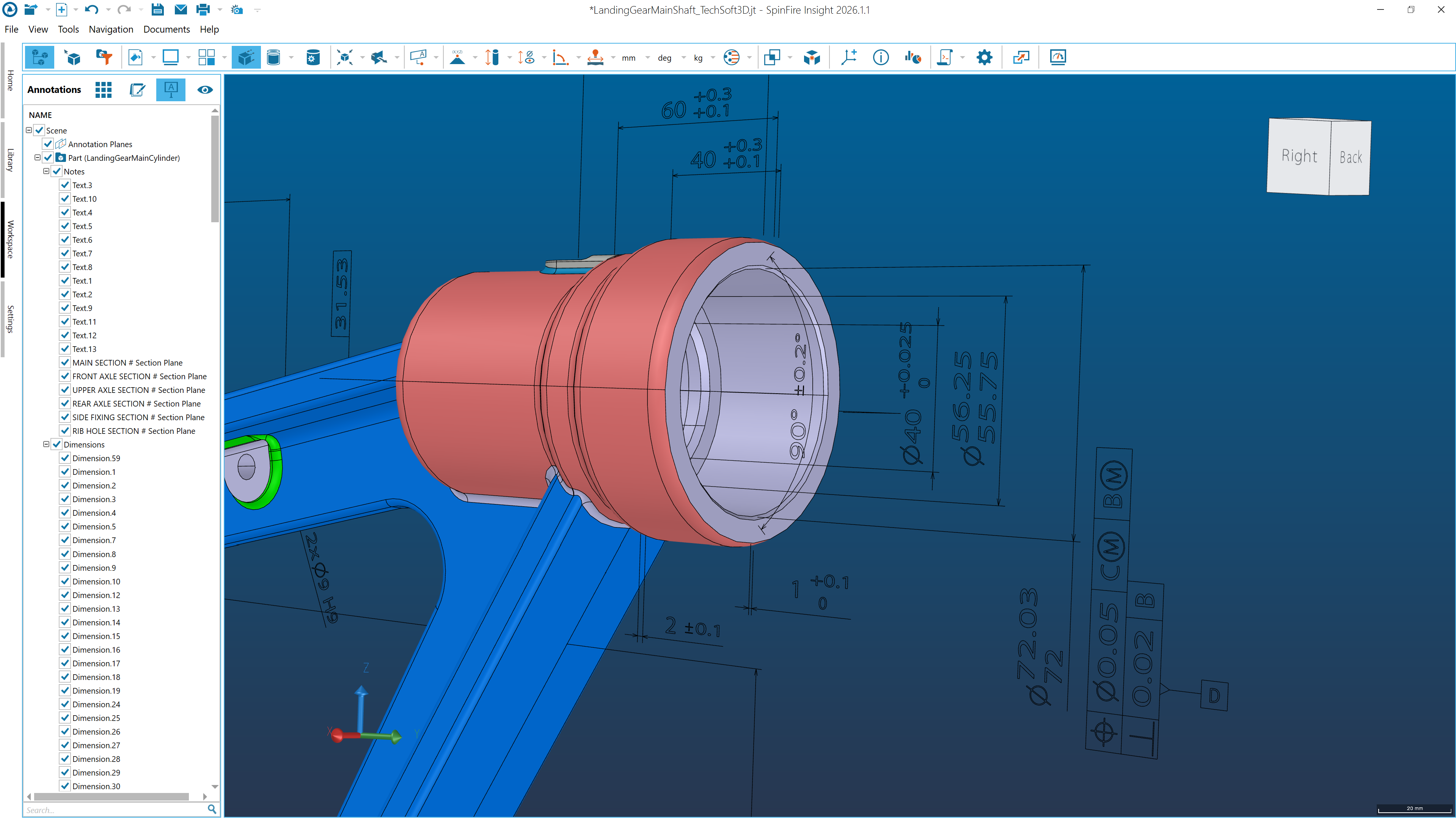
One of the most fundamental benefits of working directly with engineering data is the ability to quickly create, check, and re-check measurements of all kinds. Because of this, measuring a model is the most common reason people outside engineering need CAD data, and SpinFire Insight goes well beyond simple point-to-point distances. These tools include:
Smart Dimensioning
Smart Dimensioning allows you to quickly determine object point coordinates and lengths, distances between objects, angle measurements, and more by just mousing over a model.
Minimum Distance & Minimum Thickness
Minimum Distance measures the shortest gap between two sets of points or surfaces. Minimum Thickness gives you the thinnest point across a selected set of points or surfaces.
Tube Length
Measuring bent tubes and pipes by hand is tedious and easy to get wrong. The tube length tool calculates the length along with every bend point. This takes a lot of manual work out of ordering, cutting, and cost estimation.
Mass Properties and Volume
Sales, purchasing, and cost estimating teams regularly need numbers that live inside CAD files, and waiting on an engineer to pull them slows everything down. SpinFire Insight offers a number of tools allow for mass and volume to be measured directly in the CAD viewer, allowing your teams to get the answers they need while engineers get to focus on engineering.
Volume, Weight, Surface Area, and Center of Mass
SpinFire Insight has tools for calculating volume, weight, surface area, and center of mass. These foundational measurements are vital to know for a wide range of tasks, including estimating material and shipping costs, assembly planning, producing quotes, and more.
Boundary Volume by Surface
Boundary volume by surface finds the volume enclosed by the surfaces you select. That means you can measure not just the part itself, but the volume of a void the part creates.
SpinFire Insight Is More Than a CAD Viewer
CAD viewers allow teams to interact with engineering data in the way it is intended to be seen, in 3 dimensions and with the right built-in features; many of the questions people bring to engineering teams can be answered independently.
With SpinFire Insight, teams across the business can check manufacturability, take precise measurements, and compare revisions for themselves. That means faster answers, fewer interruptions for engineers, and no need for extra CAD licenses.
SpinFire Insight works with all major CAD formats, including CATIA V5, NX, Creo, SOLIDWORKS, and STEP, so it doesn't matter where the data came from. See the full list on our supported formats page.
Want to see these tools in action? Try SpinFire Insight for yourself, or get in touch with our team to find out how it could work for your business.
FAQ
Can I analyze files from different CAD systems in SpinFire Insight?
Yes. SpinFire Insight is format neutral, so you can open and analyze native and neutral files from systems including CATIA V5, NX, Creo, SOLIDWORKS, Inventor, Solid Edge, STEP, JT, and IGES, all without the original CAD software.
Do I need CAD experience to use the analysis tools?
No. SpinFire Insight is designed for people across the business, not just engineers. Analysis results are shown as color maps directly on the model, Smart Dimensioning picks the right measurement for you, and the interface is available in more than 10 languages, so most users can get started with little to no training.