
3D PDF Publishing Solutions
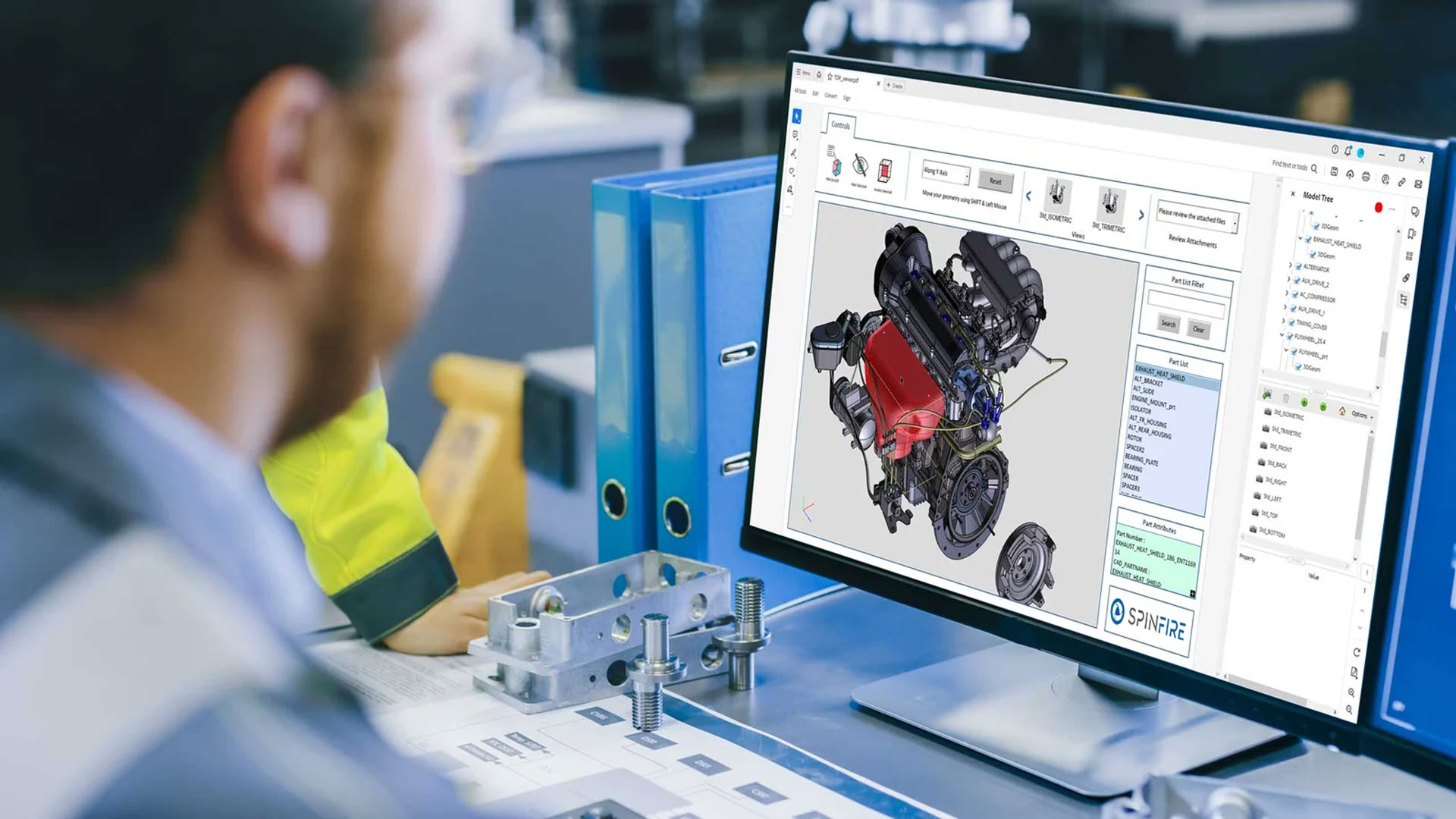
Create interactive 3D documentation without concerns over CAD access. SpinFire Convert from Tech Soft 3D enables 3D PDF publishing by transforming complex CAD models into secure, easily accessible PDFs, helping teams across the organization collaborate more effectively.
Powered by Theorem technology

SpinFire Convert enables the creation of interactive 3D PDF documents, enriched with 3D content directly from your native source CAD (3DEXPERIENCE, CATIA V5, Creo, JT or NX) that can be shared with Non-CAD users.
Based upon Adobe technology, 3D PDF is an enabling tool for anyone who needs to be involved in the design process without needing access to CAD.
3D PDFs can be configured to distribute CAD models to different departments using a number of use case based templates, removing the need for physical documents and drawings to be shared.
Supported CAD Formats for 3D PDF Publishing
SpinFire Convert from Tech Soft 3D supports a range of CAD formats for 3D PDF publishing, including 3DEXPERIENCE, CATIA V5, Creo, NX and JT.
3DEXPERIENCE to 3D PDF
Publish CATIA 3DEXPERIENCE data to secure, interactive 3D PDF documents.
CATIA V5 to 3D PDF
Publish CATIA V5 data to secure, interactive 3D PDF documents.
Creo to 3D PDF
Publish PTC Creo data to secure, interactive 3D PDF documents.
JT to 3D PDF
Publish Siemens JT data to secure, interactive 3D PDF documents.
NX to 3D PDF
Publish Siemens NX data to secure, interactive 3D PDF documents.

Which 3D PDF Offering is right for you?
3D PDF Create
This is a low-cost entry into the world of 3D PDF for CAD users using SpinFire Convert.
Interactively publish a 3D PDF file from within 3DEXPERIENCE, CATIA V5, CREO or NX applications.
Interactively publish 3D PDF documents from within your CAD application
Use familiar commands such as 'save as' / 'export as'
Publish your CAD data to company branded documents
Publish your CAD data to multiple templates simultaneously
3D PDF Enhance
Combines '3D PDF Create' capabilities with the ability to batch process using SpinFire Convert.
Supports ad hoc or volume publishing
Enables casual users to drag and drop native CAD files
Also available to JT users
Offers independent viewing of the native CAD file
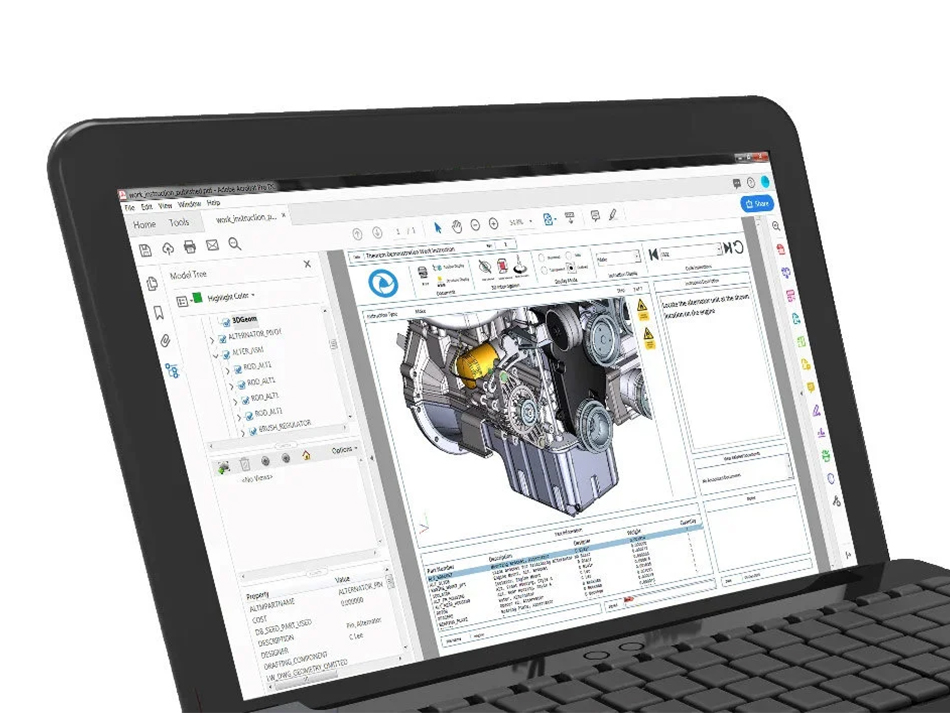
Have you tried a sample 3D PDF document yet?
3D PDF can be used for internal document sharing, or to create Work Instructions, RFQ’s, Training and Sales Documents or for supplier communication, and in support of Model Based Engineering processes.
Download a sample interactive 3D PDF document or view an interactive HTML5 supported document in your web browser.
Powered by Theorem Solutions technology
Built on trusted Theorem Solutions technology, with strong, long-standing business relationships with all major CAD vendors, SpinFire Convert by Tech Soft 3D can objectively offer best-in-class data exchange solutions to meet many use case requirements for organizations of all sizes.
FAQs about 3D PDF Technology
What CAD data can I get into the 3D PDF format using SpinFire Convert?
SpinFire Convert can publish the following CAD formats into interactive 3D PDF documents:
3DEXPERIENCE
CATIA V5
Creo
JT
NX
Using SpinFire Convert, 3D PDF documents can be enriched with 3D content directly from your native source CAD, that can be shared with non-CAD users.
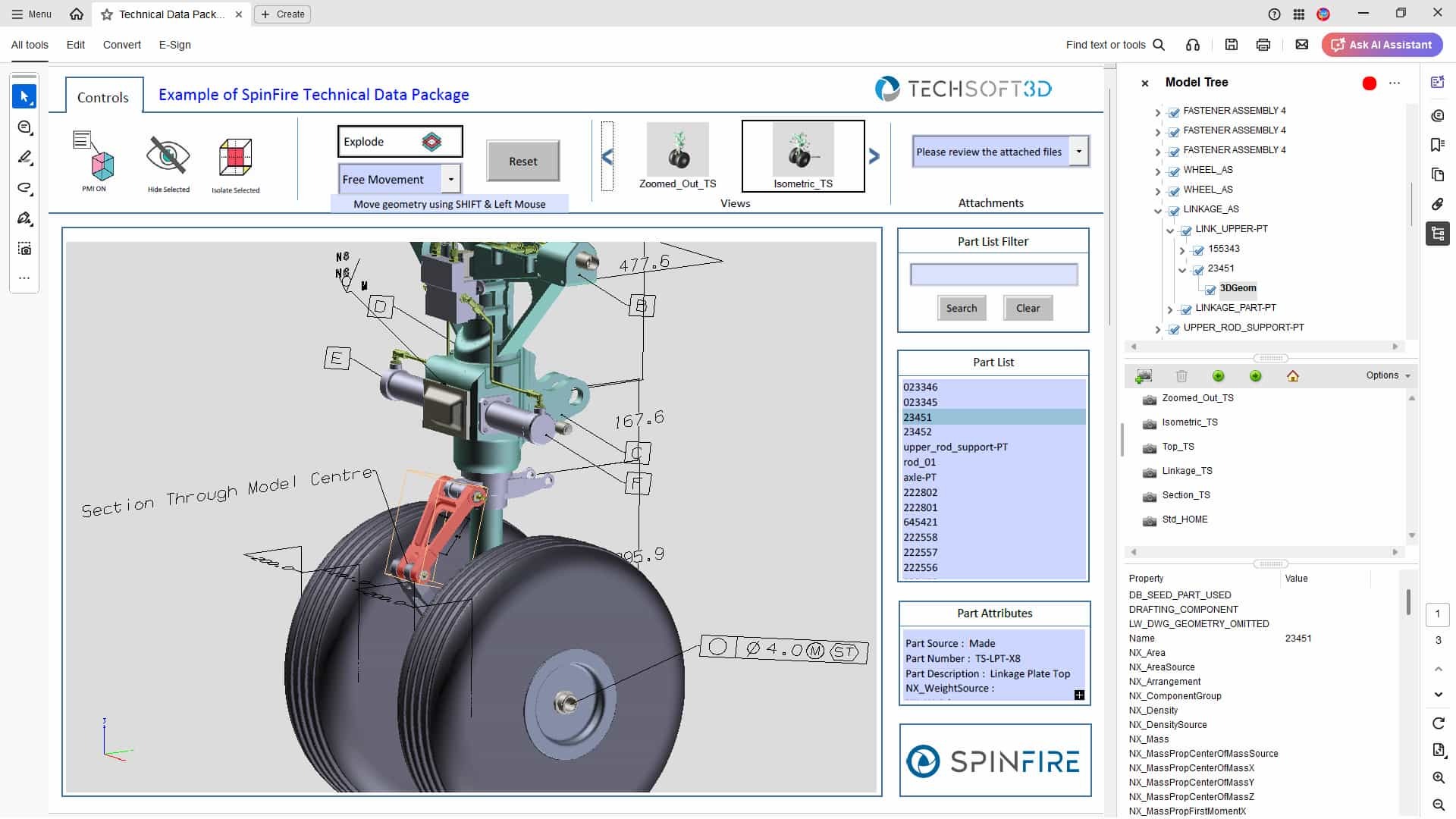
Can you create Technical Data Packages (TDPs) with 3D PDFs?
Yes. With SpinFire Convert, you can publish 3D PDFs that support your Technical Data Package (TDP) needs.
3D PDFs are not only an accessible way to share CAD data, but it also allows you to build an information-rich TDP containing all the details embedded in the CAD model.
The documents can include annotations and additional media such as PowerPoint files, video, hyperlinks to online information, and spreadsheet data can be auto-embedded or inserted manually. The PDF can also act like a .zip file to transport additional files. This can range from native CAD data to purchasing documents and statistical process control data.
Because 3D PDF is lightweight, it can be emailed easily and typically passes through firewalls without issue.
Is my Intellectual Property (IP) safe with 3D PDFs?
Yes. You can protect your intellectual property (IP) when sharing 3D PDF documents.
Adobe Acrobat enables you to password protect your PDF documents, meaning you can share a single, password secured document which has been compressed to a shareable size, safe in the knowledge that your organisations supply chain will have no issues accessing the data.
Which departments can benefit from using 3D PDF technology with CAD data?
3D PDF technology enables any department to access and interact with 3D CAD design data, not just Engineering. By converting complex CAD files into lightweight 3D PDF documents, companies can streamline communication and collaboration across departments like Purchasing, Quality, Manufacturing, Sales, Marketing, and Support.
3D PDFs can be shared with anyone and opened directly in the free Adobe Acrobat Reader. This makes it easy for employees, suppliers, or customers to view and comment on 3D models without needing expensive CAD software or specialized training.
Teams can use 3D PDFs to support purchase orders, request for quotations (RFQs), engineering change requests (ECRs), inspection reports, training manuals or work instructions, and sales or marketing materials. The result is reduced reliance on paper documents, faster collaboration, and broader access to accurate product data throughout the entire design process and product lifecycle.
Can 3D PDFs support Product Manufacturing Information (PMI)?
Yes. SpinFire Convert 3D PDF solutions support the processing of Model Based Definition (MBD) data when publishing 3D PDF documents from 3D CAD design files.
3D annotations, dimensions (PMI/FTA/GD&T), assembly structure, geometry, views, and attribute data (where available) are included in the 3D PDF at the point of creation. This helps streamline design and manufacturing workflows into a fully digital, paper-free process.
U3D and PRC data transfer methods are also supported.
How does the 3D PDF format handle large CAD models?
The 3D PDF format uses Adobe PDF’s built-in compression to significantly reduce file size while maintaining data integrity and visual quality.
For example, a CATIA V5 model with an original file size of 12.6 MB can be compressed down to around 1.4 MB when published as a 3D PDF using SpinFire Convert. This makes it easier to share complex design data quickly and reliably without compromising on detail.
Can the 3D PDF publisher be integrated with my PLM system?
Yes. SpinFire Convert 3D PDF solutions can be integrated with leading PLM systems such as Teamcenter, Windchill, Enovia, and SAP.
The command-line interface supports scripts and triggers (for example, using Dispatcher for Teamcenter), allowing you to embed 3D PDF data conversion directly into your PLM environment and existing processes. This ensures a seamless workflow without adding extra manual steps.
To learn more about CAD translation options with PLM integration, explore our PLM supported solutions.
Related Insights on 3D PDF
Technical Data Packages: What Are They, How to Use Them, and How 3D PDFs Can Help
A Guide to SpinFire Convert’s 3D PDF Templates

CAD Viewer vs CAD Translation vs 3D PDF – When to Use Each