Expanding Relationship with Tech Soft 3D Helps SolidWorks Bring AR/VR to Popular eDrawings Product
Dassault Systèmes & Tech Soft 3D
Dassault Systèmes SolidWorks Corp. develops and markets 3D CAD design software, analysis software, and product data management software. By providing best-in-class, tightly integrated tools for every area of product development and management, SolidWorks enables enterprises to speed each stage of the development cycle. SolidWorks eDrawings – a 2D, 3D, and AR/VR (augmented reality and virtual reality) design communication tool for stakeholders in the design to manufacture process - is a key offering in the portfolio.

"Part of our strategy is to have maintainable code and using HOOPS components helps enormously on that front. When there are advances in graphics technology, we don’t want to deal with that headache. We want that to be Tech Soft 3D’s headache."
Arnav Mukherjee, Development Director, Viewer & Experimental Technology, SolidWorks
“Think of SolidWorks as the content creator and eDrawings as the consumption mechanism,” explained Arnav Mukherjee, Development Director, Viewer & Experimental Technology at SolidWorks. “Design engineers create content in SolidWorks, and manufacturing teams or other downstream groups use eDrawings to view and consume that content.”
Developing the eDrawings product for the marketplace was not a simple undertaking. “When you start looking at the various platforms that eDrawings supports, it becomes a bit complicated,” said Mukherjee. “There’s Windows, Mac desktop OS, iOS, Android, and multiple browsers–Internet Explorer, Chrome, Safari, Edge. Having that many code bases would be insanity, so we try to make eDrawings as modular as possible and that’s one of the reasons we use Tech Soft 3D’s HOOPS components.
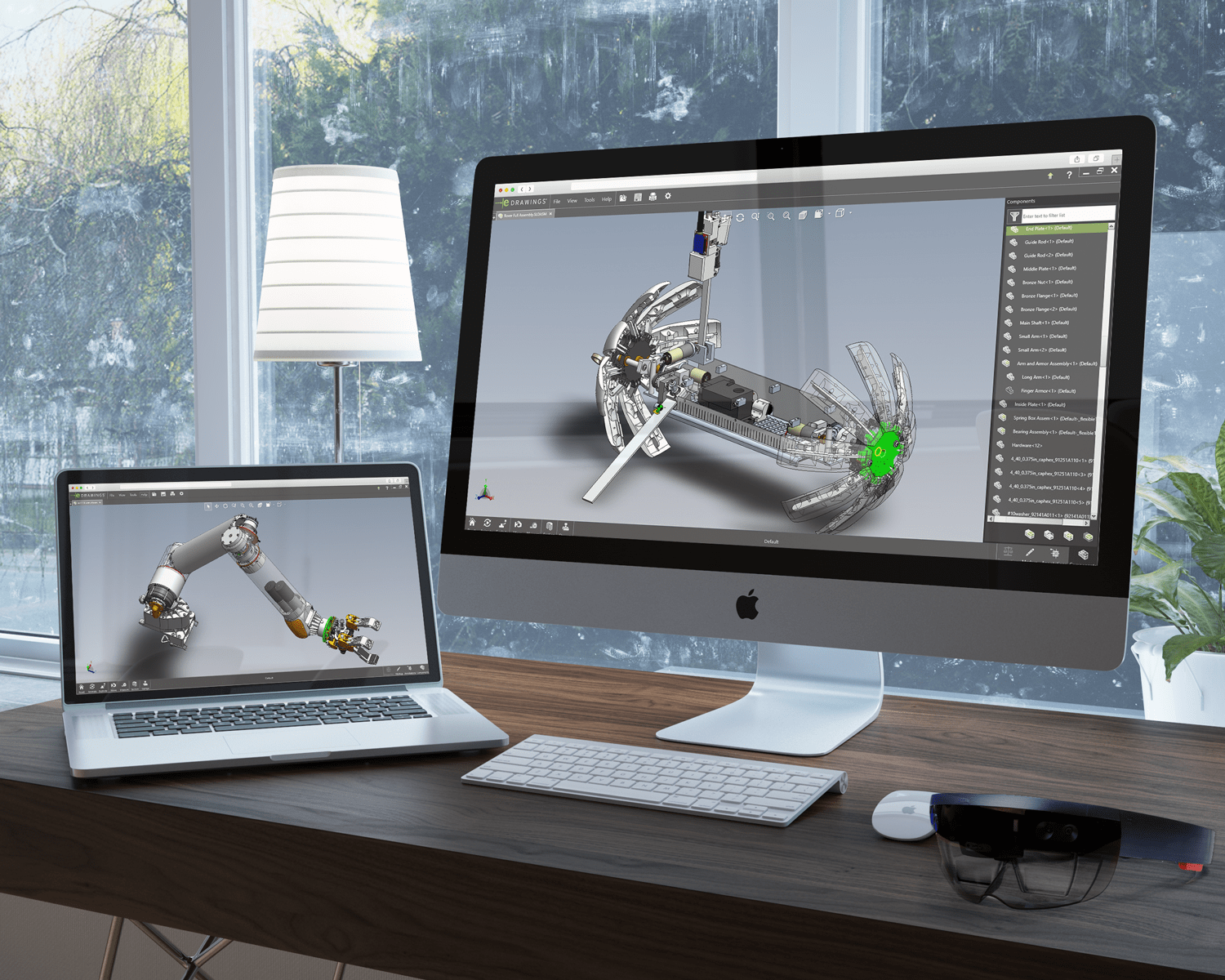
Dassault Systèmes' product in action
Simplifying Ongoing Development, Supporting New Capabilities
HOOPS Visualize – a gold standard graphics engine– and HOOPS Exchange, the fastest and most accurate CAD data translation toolkit, serve as common components across eDrawings’ Windows, Mac, iOS, and Android platforms. “In addition to modular design, part of our strategy is to have maintainable code,” said Mukherjee.
"HOOPS helps enormously on that front. When there are advances in graphics technology, we don’t want to deal with that headache. We want that to be Tech Soft 3D’s headache.” eDrawings’ strategy also involves designing for longevity–and that includes adapting to entire paradigm shifts in how its products are used. “It’s no longer just a desktop world,” said Mukherjee. “People are moving to the web and the cloud. The question became: how do we take something like eDrawings–which has been around since 1999 and has been a native application–and move it to the browser?”
HOOPS Visualize for Web solves this challenge by providing a simple yet powerful software development kit for advanced web-based engineering applications with a robust, purpose-built, high-performance graphics kernel focused on engineering graphics. “The WebGL performance of eDrawings is very impressive, especially the speed,” said Mukherjee. “You can open up a 3D model with thousands of components and interrogate it, section it, and explode it, and the graphics respond instantly.”
In recent years, eDrawings has added AR and VR capabilities that extend its use into virtual product evaluations by design teams and customers. Using the mobile (iOS and Android) version of eDrawings, anyone on a design team can see a product at full scale, so that its true size is obvious to everyone. “What you can do with AR is pretty cool,” said Mukherjee.“ You can place any specific product variation on the table in front of you–or in front of your customer–and experience it and interact with it as if it’s there.
Obviously, that sort of capability isn’t possible without powerful data exchange and data visualization.” “We use so many HOOPS products, it’s almost like we went to Tech Soft 3D and said ‘Give us one of everything’,” joked Mukherjee. “But the fact is, these components work very seamlessly for the workflows we need to support. It makes life easier for us and, ultimately, helps us deliver a better product.”
Industry:
Manufacturing
Challenge:
Provide support for multiple platforms, including web browsers-Simplify maintenance of code base and enable modular design-Evolve product to support new capabilities like AR/VR
Solutions:
HOOPS Visualize for Web and Desktop, the gold standard for high-performance 3D visualization & advanced 3D web visualization
HOOPS Exchange, the leading CAD data translation toolkit
Results:
Ensure eDrawings is available on a full range of platforms, from desktop to web and mobile, expanding potential customer base-Reduce resources required to support code base, enabling focus on core competencies and competitive differentiators-Enable rapid visualization of models with thousands of components-Give customers new ways to streamline their processes by providing support for workflows around AR/VR
HOOPS Exchange & HOOPS Visualize Partner Success Story FAQs
What file formats does HOOPS Exchange support?
HOOPS Exchange is Tech Soft 3D’s CAD data access SDK. The toolkit lets your application read more than 30 CAD formats and write to more than 10 export formats through a single API. Popular supported formats include CATIA, NX, Creo, SOLIDWORKS, Revit, IFC, STEP, and JT.
What is HOOPS Visualize?
HOOPS Visualize is Tech Soft 3D’s 3D graphics engine for engineering applications. It renders 2D and 3D models for CAD, CAM, and AEC workflows on desktop, web, mobile, and AR/VR platforms.
How do HOOPS Exchange and HOOPS Visualize work together?
HOOPS Exchange and HOOPS Visualize are designed to work together as a complete solution for engineering applications. HOOPS Exchange imports CAD data from more than 30 formats, including geometry, product structure, and PMI. HOOPS Visualize then renders that data with high performance on desktop, web, mobile, and AR/VR platforms. Pairing the two gives your application CAD data access and visualization from a single vendor, with one point of contact for support.
What file formats does HOOPS Exchange support?
HOOPS Exchange supports a variety of CAD and AEC formats, including:
Read & Write Support:
3MF, 3MF, ACIS, ACIS, FBX, gITF, IGES, JT, OBJ, Parasolid, PDF, PRC, PRC, STEP, STEP XML, STL, U3D, VRML, VRML
Read Only Support
3DS, CATIA V4, CATIA v5, CATIA V6, COLLADA, Creo, DGN, DWF, DWG, I-DEAS, IFC, Inventor, Navisworks NWD, NX, Pro/E, Revit, Rhino, Solid Edge, SOLIDWORKS, VDA-FS
Write Only Support
USD
What engineering features come built into HOOPS Visualize?
While plenty of visualization toolkits exist, HOOPS Visualize is built for engineering applications, both through its optimization and inclusion of pre-built operators for common engineering tasks. These cover measurement and markup, advanced selection and highlighting, massive point clouds, advanced 2D rendering, and volumetric measurement using B-rep and mesh data. The toolkit also supports real-time and photorealistic rendering for desktop users.