Canvas Envision Leverages HOOPS Platform To Develop New 3D Product That Simplifies Technical Illustration Workflows
Canvas Envision & Tech Soft 3D
The Challenge
Canvas Envision, formerly Canvas GFX, has a mission to advance the way its customers in the aerospace, defense, and manufacturing industries communicate complex information. The company’s core technical illustration software platform, Canvas X, has long delivered a powerful array of functionality to assist with illustration and documentation workflows for customers creating instruction manuals, maintenance manuals, and other important documentation.

“There was such a close alignment between our company and Tech Soft 3D in terms of functionality, road map, and customer base. As the Canvas solution evolves, we know we have the right partner supporting that evolution.”
Mike Hibberd, VP of Marketing, Canvas Envision
“Our software is for organizations that need to visualize complex ideas with precision and clarity, so that people don’t make expensive mistakes when they are building or maintaining complex items,” explained Mike Hibberd, VP of Marketing, Canvas Envision. “This could be anything from creating the wiring diagram for a satellite, to instructions on how to retrofit a decades-old airplane with new parts. When your audience depends on pinpoint accuracy and minute detail, you need illustration software that really gets the point across.”
While customers had long enjoyed the ability to import a wide array of file types – including many 2D CAD formats – into Canvas, they had an increasing interest in working with actual 3D models. “The pain point we heard people describing was that every time they wanted a 3D view of a product to include in a piece of technical documentation, they’d have to go back to the CAD engineers to capture an image,” said Hibberd.
“There’d be three or four people standing around a screen giving the CAD engineer directions about the specific view they wanted. They’d take a screenshot of it, export it as a PDF, and then have to import it into Canvas. We wanted to streamline and simplify that process.”
A New Offering with Powerful 3D Capabilities
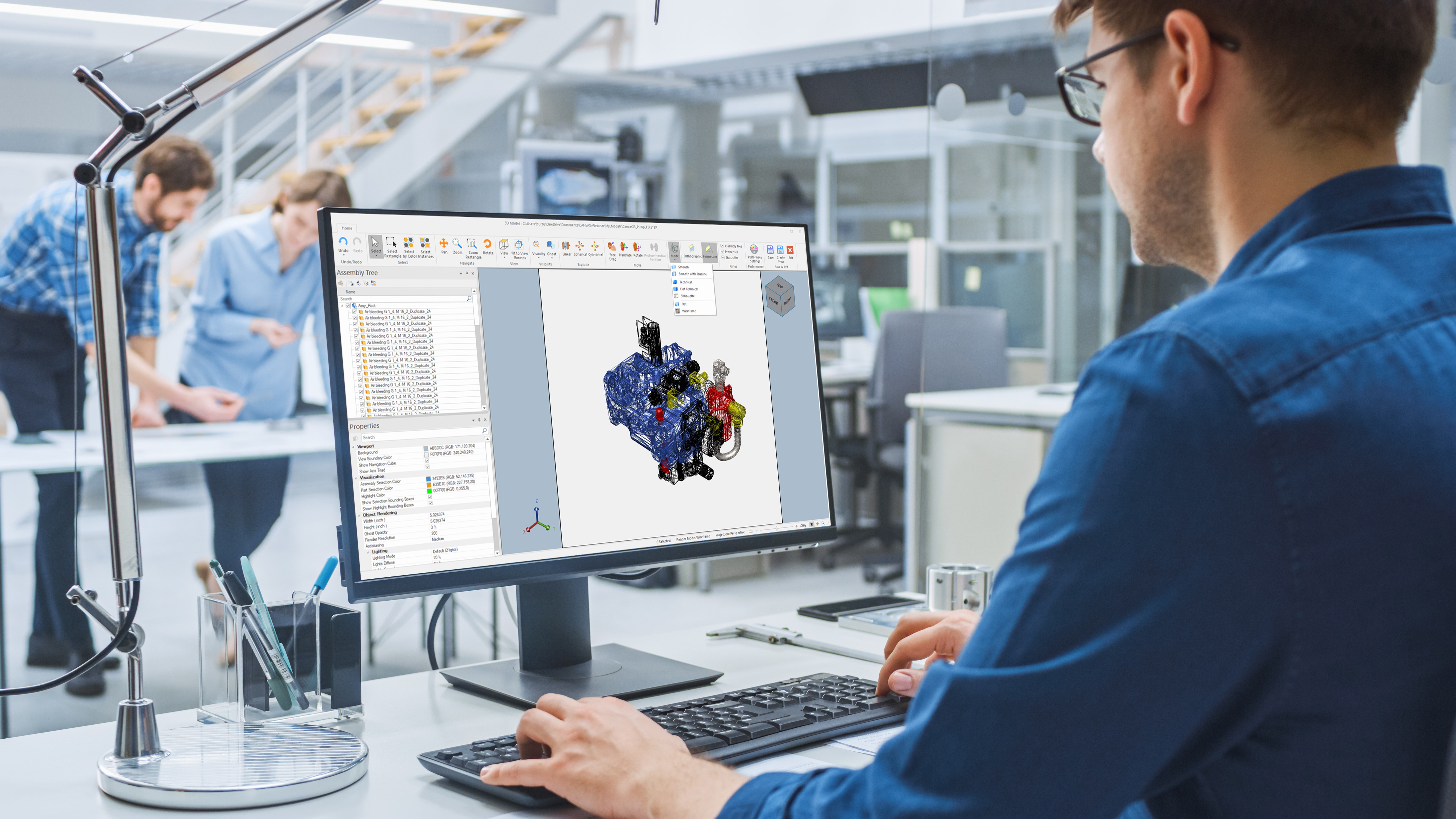
To respond to what it was hearing from its customers, Canvas Envision developed Canvas X³, which represents a huge leap in functionality for the Canvas product line. Notably, it includes the ability to easily import and work with 3D CAD models.
“Canvas X³ allows customers to bring in a 3D CAD file in its raw form, with all of the part data,” said Hibberd. “Users can explode the assembly, rotate it, and otherwise manipulate the parts however they want. In this way, Canvas X³ makes it easy for people to create whatever view they need for the documentation they’re creating. Users can take and retake the shot as many times as they want, all without having to involve a CAD engineer. In essence, Canvas X³ democratizes access to 3D data within the organization.”
HOOPS toolkits were instrumental in the development of Canvas X³. The platform includes HOOPS Exchange, the leading CAD translation SDK, which provides all the integration controls a development team requires to easily build robust CAD data translation into an application. Additionally, the platform contains the HOOPS Visualize SDK, a powerful 3D engine to rapidly render stunning graphics across desktop and mobile platforms, and the HOOPS Publish SDK (now a part of HOOPS Exchange), which enables applications to publish 3D data in a number of different ways for downstream consumption.
For Canvas Envision, partnering with Tech Soft 3D made sense on several different levels. “There was such a close alignment between our company and Tech Soft 3D in terms of functionality, road map, and customer base,” said Hibberd. “As the Canvas solution evolves, we know we have the right partner supporting that evolution.” Hibberd added, “We often talk about technical illustration software in terms of visual communication, but really, it’s about driving measurable, tangible efficiencies in key workflows – and Tech Soft 3D is helping us make that happen.”
Industry:
Aerospace & Defense, Manufacturing
Challenge:
Existing technical illustration product could import 2D file formats but not 3D - Customers wanted an easy way to incorporate 3D models into their workflows, rather than having to request model views from the engineering department - Company saw opportunity to meet the needs of the market with new product offering
Solution:
HOOPS toolkits power applications with proven 3D technologies, including high performance 3D graphics, accurate and fast CAD data access, and 3D data publishing
Results:
Bring powerful new product to market with ability to import and access data in over 90 file formats, including files created in all leading 3D CAD packages - Democratize access to data and simplify workflows, enabling users to easily visualize, rotate, and manipulate 3D models on their own to get the views they want - Empower customers to create powerfully precise visual documentation, helping company maintain leadership position in technical illustration software space
HOOPS Exchange & HOOPS Visualize Partner Success Story FAQs
What file formats does HOOPS Exchange support?
HOOPS Exchange is Tech Soft 3D’s CAD data access SDK. The toolkit lets your application read more than 30 CAD formats and write to more than 10 export formats through a single API. Popular supported formats include CATIA, NX, Creo, SOLIDWORKS, Revit, IFC, STEP, and JT.
What is HOOPS Visualize?
HOOPS Visualize is Tech Soft 3D’s 3D graphics engine for engineering applications. It renders 2D and 3D models for CAD, CAM, and AEC workflows on desktop, web, mobile, and AR/VR platforms.
How do HOOPS Exchange and HOOPS Visualize work together?
HOOPS Exchange and HOOPS Visualize are designed to work together as a complete solution for engineering applications. HOOPS Exchange imports CAD data from more than 30 formats, including geometry, product structure, and PMI. HOOPS Visualize then renders that data with high performance on desktop, web, mobile, and AR/VR platforms. Pairing the two gives your application CAD data access and visualization from a single vendor, with one point of contact for support.
What file formats does HOOPS Exchange support?
HOOPS Exchange supports a variety of CAD and AEC formats, including:
Read & Write Support:
3MF, 3MF, ACIS, ACIS, FBX, gITF, IGES, JT, OBJ, Parasolid, PDF, PRC, PRC, STEP, STEP XML, STL, U3D, VRML, VRML
Read Only Support
3DS, CATIA V4, CATIA v5, CATIA V6, COLLADA, Creo, DGN, DWF, DWG, I-DEAS, IFC, Inventor, Navisworks NWD, NX, Pro/E, Revit, Rhino, Solid Edge, SOLIDWORKS, VDA-FS
Write Only Support
USD
What engineering features come built into HOOPS Visualize?
While plenty of visualization toolkits exist, HOOPS Visualize is built for engineering applications, both through its optimization and inclusion of pre-built operators for common engineering tasks. These cover measurement and markup, advanced selection and highlighting, massive point clouds, advanced 2D rendering, and volumetric measurement using B-rep and mesh data. The toolkit also supports real-time and photorealistic rendering for desktop users.