Autodesk Leverages HOOPS for Powerful 3D Visualization Capabilities
Autodesk & Tech Soft 3D
The Challenge
Since its introduction of AutoCAD software in 1982, Autodesk Inc. has developed into a world-leading provider of 3D software for the global markets, both within the CAD segment and within the CAE segment. Autodesk has a broad customer base in manufacturing, architecture, building, construction, and media and entertainment industries. Autodesk's collaboration with what was then called CEETRON started in 1996 when a company named Blue Ridge Numerics partnered with what is now HOOPS to power the desktop visualization of their CFDesign software.

“Through the partnership with HOOPS, Autodesk has been able to deliver 'best-in-class' 3D visualization for Sim CFD. Our CFD team appreciates collaborating with the competent and committed staff at HOOPS.“
Nanda Santhanam, Chief Architect, Autodesk
Blue Ridge Numerics was acquired by Autodesk in 2010, and CFdesign became Autodesk CFD. The first version of the post-processor was developed using GLview 3D Visualization API. Autodesk has since replatformed Autodesk CFD and created an integrated pre- and post-processor for Autodesk CFD using what was then called CEETRON Desktop Components.
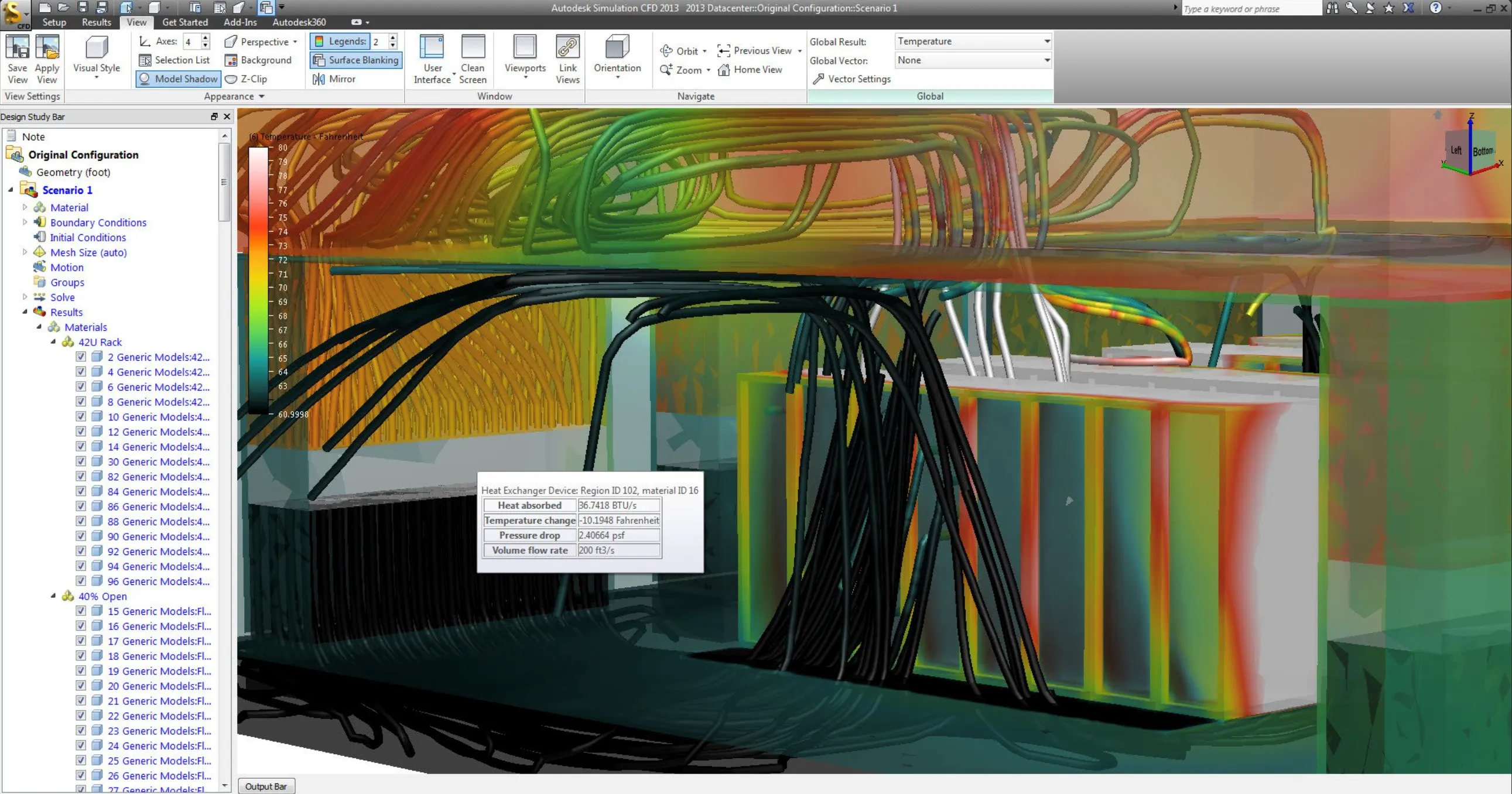
This combined pre- and post-processing environment offers functionalities like two-way CAD integration, model setup, adding of boundary conditions, meshing, monitoring while solving, and result visualization. The results visualization module has extensive functionality for interpretation of CFD results such as cutting planes, isosurfaces, isovolumes and particle traces.
Autodesk in action
Autodesk has also added export to the free viewers HOOPS 3D Viewer and HOOPS 3D Plug-in for Microsoft Office to Autodesk CFD through the Design Review Center. The Design Review Center (DRC) enables the users of Autodesk CFD to review different designs and to share the results of a design study in real 3D with anyone, through export to the VTFx format and without requiring the recipient to have Autodesk CFD installed. Autodesk are also using the VTFx format (with their own application-specific data embedded) to quickly store and retrieve different scenarios for interactive comparison in the DRC.
Since CEETRON's acquisition by Tech Soft 3D and consolidation under the HOOPS product name, Autodesk has remained a committed partner, continuing to leverage HOOPS toolkits to this day. With decades of collaboration history, we look forward to many more years of partnering with this great company.
Industry:
CAD, CAM, CAE
Solution:
HOOPS provides a host of its strong CAE capabilities to bolster Autodesk's ability to provide exceptional products
Results:
HOOPS provides solid ROI, compared with refactoring to the internal technology platform
Direct contact with Tech Soft 3D's CTO and senior engineers within a durable strategic relationship
Benchmarking in-house 3D visualization components with industry-leading external technology
HOOPS Envision Partner Success Story FAQs
What is HOOPS Envision?
HOOPS Envision is Tech Soft 3D’s all-in-one toolkit for CAE data analysis and visualization. It handles data import, analysis, visualization, reporting, and automation for desktop and native web applications.
What’s the difference between HOOPS Visualize and HOOPS Envision?
HOOPS Visualize is a 3D graphics engine for rendering and interacting with CAD, CAM, and AEC data. It focuses on real-time visualization, scene management, and user interaction.
HOOPS Envision is a CAE data analysis and visualization toolkit for simulation results, such as FEA and CFD data. It extracts analysis models like cutting planes, isosurfaces, and plots from large datasets, and supports automated reporting and dashboards. Choose HOOPS Visualize to display and interact with engineering models, and HOOPS Envision to analyze and present simulation results.
What can HOOPS Envision do for you?
HOOPS Envision extracts data from large CAE datasets and turns it into interactive 3D analysis models, such as animations, cutting planes, isosurfaces, and plots. The Python modules support automated reporting through browser-based dashboards or standalone HTML reports.
Can HOOPS Envision help move a desktop CAE application to the web?
Yes. HOOPS Envision's streamer component reuses existing desktop application logic, which reduces the rework, cost, and risk of moving to the cloud. Its web API keeps data transfer low, giving engineers a desktop-like experience while reducing the need for server-side GPUs.