

How to View STEP Files Without CAD Software
STEP is a neutral CAD file format used to exchange 3D product data between different CAD systems. Its file formats, including .STEP and .STP, contain 3D product geometry that can be opened in a wide range of CAD software. STEP files are particularly common in manufacturing supply chains and other areas where companies regularly need to exchange design data between different CAD systems.
While engineers use CAD software to create and modify designs, many other users simply need to review product data. For these teams, a CAD viewer provides a simple way to open STEP files, visualize 3D models, and perform basic analysis without requiring full CAD software. In this piece, we cover:
Why Use a STEP Viewer?
STEP is widely used because it helps make CAD data easier to share, access, and review across teams and CAD systems. One of the biggest advantages of STEP is cross-platform compatibility, as STEP can be opened by a wide range of types of CAD software. Critically, the format preserves the 3D geometry of a design while remaining independent of any specific CAD vendor.
Many organizations work in mixed CAD environments, especially when collaborating with suppliers, customers, or manufacturing partners. STEP files are the most widely adopted neutral CAD format for streamlining data exchange between groups using different software.
But for many users, a full CAD software is an unnecessary cost. They may simply need to:
Create section views
Perform draft analysis
Evaluate wall thickness
Compare geometry revisions
Export Parts List
View STEP files
Take measurements
Markup models
Analyze designs
Share feedback with engineering or manufacturing teams

Visualize STEP Data with SpinFire Insight
SpinFire Insight allows organizations to view STEP files without a CAD license, making CAD data more accessible across the business. SpinFire Insight supports a wide range of native and neutral CAD files, including STEP. This gives teams a single platform for reviewing design data from multiple CAD systems, which is especially valuable for organizations working with several suppliers, partners, or internal engineering teams.
With an intuitive interface, both CAD and non-CAD users can easily open STEP files and explore models without training on the tool. This makes SpinFire Insight useful not only for engineers, but also for manufacturing, purchasing, sales, and more.
With SpinFire Insight, teams can:
Measure geometry
Create markups and annotations
Review 3D models
Inspect product information
Review model properties
Examine assembly structure
Communicate design feedback
Collaborate across departments
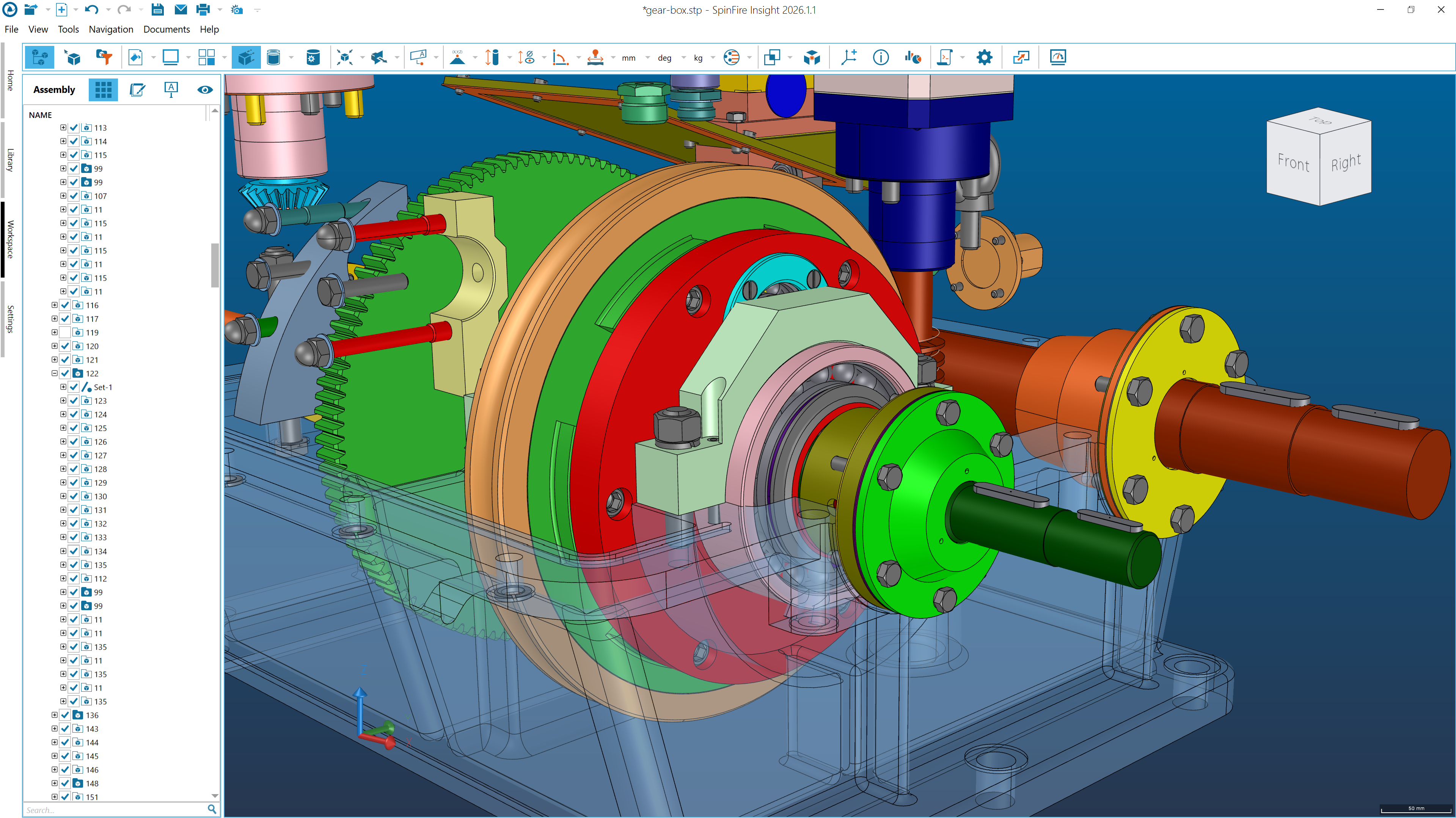
SpinFire Insight makes it easy to visualize JT data across the enterprise, helping both technical and non-technical users open, view, measure, markup, and collaborate on JT files.
Learn more about the full capabilities of SpinFire Insight here, or better yet, trial it for yourself. Or get in touch with our team to learn more about how SpinFire can help you.
This gives technical and non-technical users direct access to the information they need without requiring a full CAD license.
Make STEP Data Accessible Across Your Organization
The data found in your STEP files is valuable far beyond the engineering team. By providing a simple way to open, view, and analyze STEP files, organizations can improve collaboration, reduce software costs, and speed up decision-making.
A STEP CAD viewer like SpinFire Insight helps make 3D CAD data available to every team that needs it, regardless of CAD experience. Instead of limiting access to users familiar with CAD software, organizations can provide broader access to STEP data throughout the enterprise.
Frequently Asked Questions about STEP Files & SpinFire Insight
What is a STEP file?
A STEP file is a neutral CAD file format used to exchange 3D product data between different CAD systems. STEP files commonly use the file extensions .STEP and .STP.
What are the benefits of using STEP files?
STEP is popular because it gives teams a reliable way to exchange CAD data regardless of CAD application, by providing a neutral format that is widely supported across CAD, CAM, CAE, and visualization tools.
What is the difference between STEP and native CAD files?
Native CAD files are designed for a specific CAD application, while STEP files are neutral formats intended for exchanging data between different CAD systems. This makes STEP one of the most common formats for collaboration between suppliers, manufacturers, and customers.
Can I open STEP files without CAD software?
Yes. A STEP viewer such as SpinFire Insight allows users to open and view STEP files without installing or licensing full CAD software.
What is a STEP CAD viewer?
A STEP CAD viewer is software that allows users to open, view, inspect, measure, and markup STEP files without needing full CAD authoring tools.
Does SpinFire Insight support formats other than STEP?
Organizations rarely work with STEP files alone. SpinFire Insight allows users to review STEP, CATIA, NX, Creo, SolidWorks, Inventor, JT, and many other formats within a single application. You can explore all supported formats here.