

How to View CATIA V5 Files Without A CATIA License
CATIA V5 from Dassault Systèmes is one of the most widely used applications for CAD, CAM, CAE, and PLM workflows across many engineering and design industries, particularly in the automotive, aerospace, and manufacturing. Its file formats, including CATPart and CATProduct and more, contain critical design information used through all stages of product development.
While working with these formats within CATIA has its uses, many who need to access the data want to do so without a full CATIA license. Manufacturing teams, purchasing departments, quality engineers, suppliers, and project managers often need to review designs without requiring the full functionality (and cost) that comes with a CATIA license.
A CATIA viewer solves this problem by allowing users to open and interact with CATIA V5 data without CATIA. In this piece, we cover:
Why Use a CATIA Viewer?
Providing CATIA licenses to every stakeholder is expensive and often unnecessary. Many users simply need to:
View CATIA files
Review assemblies and components
Search and export assembly tree
Take measurements
Add markups and comments
Perform basic analysis
Without a viewer, organizations are faced with a dilemma: pay for an expensive CATIA license full of features these users will never use or rely on inefficient workarounds. These include screenshots, PDFs, or engineering teams constantly exporting data for others. All of these are slow, error-prone, and/or a waste of experts' time and resources.

Visualize CATIA V5 Data with SpinFire Insight
SpinFire Insight allows organizations to view CATIA files without a CATIA license, making CAD data accessible across the business. Users of all experience levels can open native CATIA V5 formats, including .CATPart, .CATProduct, .CATDrawing, .cgr, and.CATShape, eliminating the need to request exports to STEP, PDF, or other intermediary formats.
With an intuitive interface, users can quickly explore models, assemblies, and product structures without extensive CAD training.
With SpinFire Insight, teams can work directly with CATIA V5 data to:
Measure geometry
Create markups and annotations
Generate section views
Compare model revisions
Perform draft analysis
Evaluate curvature
Analyze wall thickness
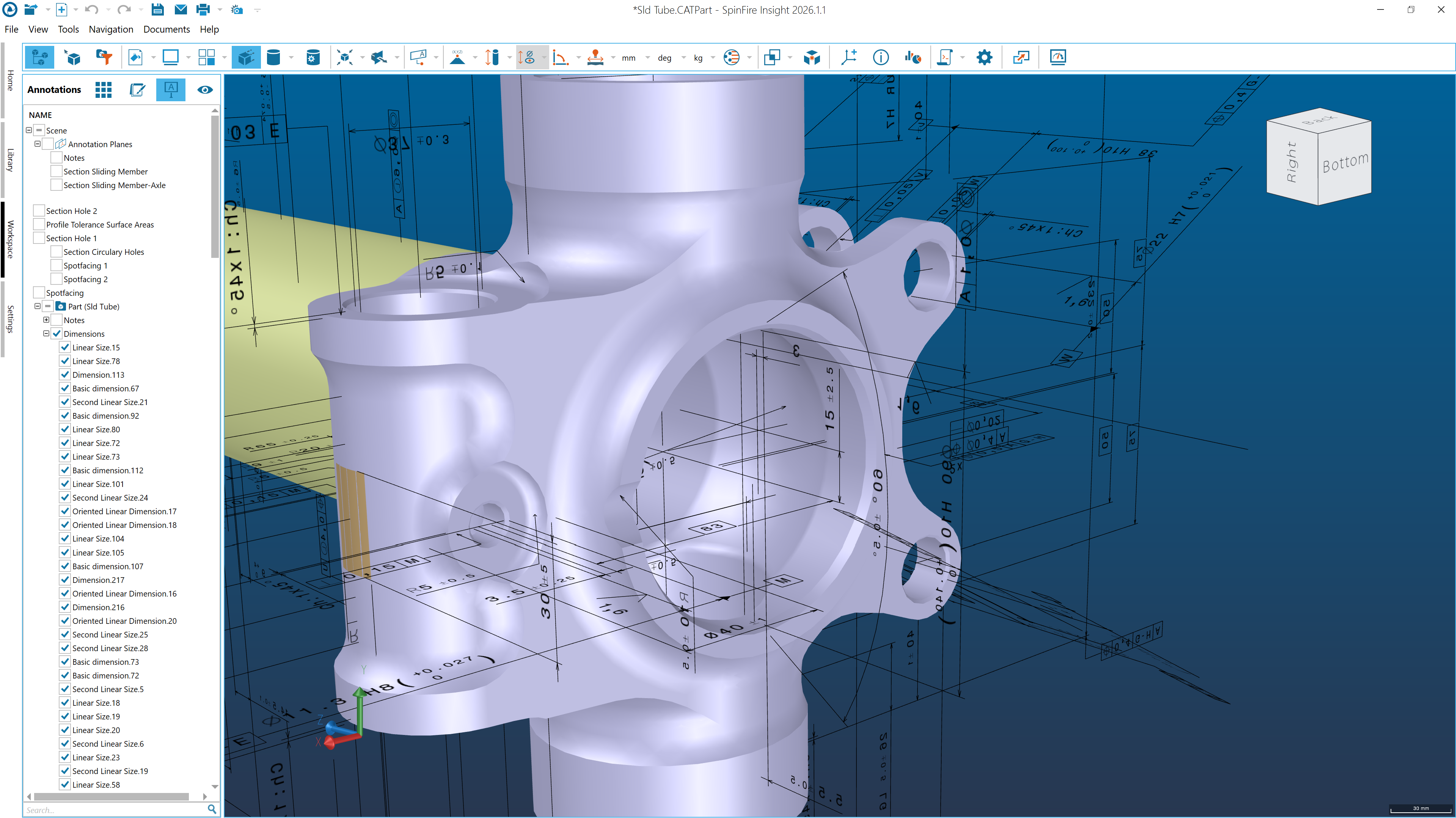
This gives engineering, manufacturing, quality, procurement, and supplier teams direct access to the information they need without requiring a CATIA V5 license.
In addition to CATIA V5, SpinFire Insight supports a wide range of native and neutral CAD formats, providing a single platform for reviewing design data from multiple CAD systems.
Make CATIA Data Accessible Across Your Organization
CATIA V5 data is valuable far beyond engineering. By providing a simple way to visualize and analyze CATIA files, organizations can improve collaboration, reduce software costs, and speed up decision-making.
SpinFire Insight helps make CATIA V5 data available to everyone who needs it, regardless of their CAD experience.
Check out the full capabilities of SpinFire Insight here, or better yet, trial it for yourself. You can also get in touch to learn more about how SpinFire can help you.
Why Is Viewing CATIA V5 Files Such a Common Need?
CATIA V5 is widely used because it enables engineers to create complex 3D models, advanced surfaces, and large product assemblies. It has become a standard CAD platform in industries such as automotive and aerospace, where precision and collaboration are critical. Because so many manufacturers and suppliers rely on CATIA V5, its file formats remain common throughout engineering and manufacturing workflows.
Can I open CATIA files without CATIA?
Yes. CAD viewers such as SpinFire Insight allow users to open and view CATIA V5 files without installing or licensing CATIA.
What file types does CATIA V5 use?
The most common CATIA V5 file formats are CATPart for individual components and CATProduct for assemblies. Others include CATDrawing (.CATDrawing)m CGR (.cgr - CATIA Graphic Representation), and CATShape (.CATShape).
What is the best CATIA V5 viewer?
The best CATIA viewer depends on your requirements (though we have a favorite, of course). SpinFire Insight is a strong choice for those who need support for CATIA V5 and other major CAD formats while providing markup, measurement, and analysis tools.
Can non-engineers view CATIA files?
Yes. CAD viewers (like SpinFire Insight) are designed to give non-CATIA users access to engineering data through a simpler, intuitive interface, making them useful for manufacturing, purchasing, quality, sales, and supplier teams.
Does SpinFire Insight support CAD formats other than CATIA?
Yes. SpinFire Insight supports a wide range of native and neutral CAD formats, allowing users to work with data from multiple CAD systems in a single application. You can explore all supported formats here.