

Tech Soft 3D’s CAD Acronyms & Terms:
59 Key Terms for 3D Engineering, Clarified
When working in 3D engineering spaces, be it as a software developer, engineer, or client, the acronyms can start to blend. To help, we have assembled a handy guide to just a few of the common CAD and engineering terms we come across every day. Of course, this list is not exhaustive, but we hope it helps cut through the sea of abbreviations.
We’ve grouped them by topic to help you learn more about the areas most relevant to you. Click on the categories below to jump to where you’d like to start.
Core CAD Ecosystem Terms
Here you will find some of the most foundational acronyms in engineering spaces.
CAD (Computer-Aided Design)
CAD, or computer-aided design, is a generic term used to describe the use of a 3D model that represents a physical object.
CAE (Computer-Aided Engineering)
CAE refers to performing numerical analysis on CAD models, simulating physical behavior such as structural integrity, airflow, or thermal performance. Common techniques include FEA and CFD.
CAM (Computer-Aided Manufacturing)
CAM refers to using CAD data to generate the instructions and processes needed to manufacture a part, including toolpaths and CNC code.
AEC (Architecture / Engineering / Construction)
A broad industry category covering building and infrastructure design and construction. Closely related to the term digital construction, which refers to the application of data technologies to change how projects are designed, built, and managed. Learn more about AEC Trends for 2026 here.
BIM (Building Information Modeling)
A process for managing building and infrastructure projects using structured digital models. A key tool used within digital construction, and thus also related to AEC.
PLM (Product Lifecycle Management)
The process of managing a product’s lifecycle from design through manufacturing and maintenance. Connects data, processes, and teams across the lifecycle of a product.
Digital Twin
A hot topic in a lot of engineering industries, this term describes a virtual model of a physical object that reflects its real-world characteristics. Often used for monitoring, simulation, and lifecycle management.
Geometry & Modeling Fundamentals
B-Rep (Boundary Representation)
Also abbreviated BREP, this way to represent a 3D model using topology and geometry to define its shape and boundaries.
This is the primary representation used in most modern CAD systems. Often converted into tessellated data for visualization and downstream workflows. We have a full breakdown available here: “What is B-Rep?”
Tessellation
The process of converting precise geometry into a mesh representation. Controls the accuracy and density of triangle-based approximations.
This is done because computer systems are optimized to process simple shapes like triangles, not the complex shapes of a real design. The resulting data is typically referred to as mesh or facet data.
B-Rep vs Tessellated Models
B-Rep models define exact geometry using mathematical surfaces.
Tessellated models approximate geometry using triangles.
CAD systems use B-Rep for precision and editing, while tessellated models are used for visualization, simulation, and 3D printing.
Parametric Modeling
A modeling approach where dimensions and features are driven by parameters and constraints. Allows designs to be easily modified by changing values, with updates propagating throughout the model. Often represented and edited through Feature Tree.
Direct Modeling
A modeling approach that allows geometry to be modified directly without relying on a feature history. Enables faster, more flexible edits, especially for imported or history-free models. Often used when working with geometry that lacks a Feature Tree.
Topology & Geometry
Topology describes how geometric elements are connected (faces, edges, vertices). Geometry defines the exact shape of elements using mathematical surfaces and curves. Topology defines relationships, while geometry defines shape. Topology answers the question “what is touching what?”, while geometry answers “what does it look like?”
Assembly Structure
Defines how parts and sub-assemblies are organized in a product. Common parts can be reused multiple times (instancing), each with its own position and orientation (like individual screws, etc). Think of this as the hierarchical structure of a design.
Constraints
Rules applied to geometry that define relationships such as distance, angle, or alignment. They are used in parametric modeling to control how geometry behaves when modified.
Mesh / Facet Data
A representation of a 3D shape using polygons (typically triangles). Merged mesh, facet data, and polygonal modeling into a single concept. Often created via tessellation, but can be made directly, imported, or generated from simulations. Commonly stored in formats like STL and used in visualization and simulation workflows.
Boolean & Boolean Operations
Operations used to combine or modify shapes: union, subtract, and intersect. Fundamental to both solid and polygonal modeling.
Convergent / Faceted Modeling
Allows B-Rep and mesh-based representations to coexist within the same model. Useful when combining scan data or mesh inputs with traditional CAD. Bridges the gap between B-Rep and tessellated representations.
Bounding Box / Volume
A simple volume that encloses a complex object, used to improve computational efficiency.
Normal Vectors (Normals)
Vectors perpendicular to a surface, used for lighting and determining surface orientation. Incorrect normals can cause rendering artifacts. Used heavily in rendering workflows alongside shaders and textures.
Healing / Sewing
These terms refer to techniques used to repair or connect geometry in imperfect models. Healing fixes issues, sewing stitches surfaces into solids. Often needed when importing CAD data, where gaps, overlaps, or tolerance issues can prevent a model from forming a valid solid. Very important for ensuring valid B-Rep models after data translation.
Tolerant Modeling
The effect of allowing small inconsistencies between geometry and topology. This is a big time-saver, allowing engineers to skip manual cleanup and move straight to simulation, especially in use cases where extreme precision is less important. Often used when preparing models for simulation workflows like FEA or CFD.

File Formats & Interoperability
The ability for different systems or software to exchange and use data effectively. A major challenge in CAD due to differences in formats, kernels, and feature support.
With the sheer number of them, file formats could be their own list. To keep it short, we have included only the most essential to understanding the engineering, with plenty of popular generalist and industry-specific formats not included.
IGES
A vendor-neutral CAD file format.
STL
A file format representing a model as a triangle mesh, commonly used for 3D printing. Contains tessellated (mesh) data rather than precise B-Rep geometry.
PRC
The native Exchange file format used for storing CAD data.
STEP (Standard for the Exchange of Product Data)
A widely used neutral CAD format for exchanging precise geometry between systems.
Manufacturing & 3D Printing
3D Printing
Creating a physical object layer by layer using additive processes. Offers the potential for unique, complex geometries that would be difficult or impossible with more traditional manufacturing methods. A type of additive manufacturing. Typically uses tessellated data formats like STL.
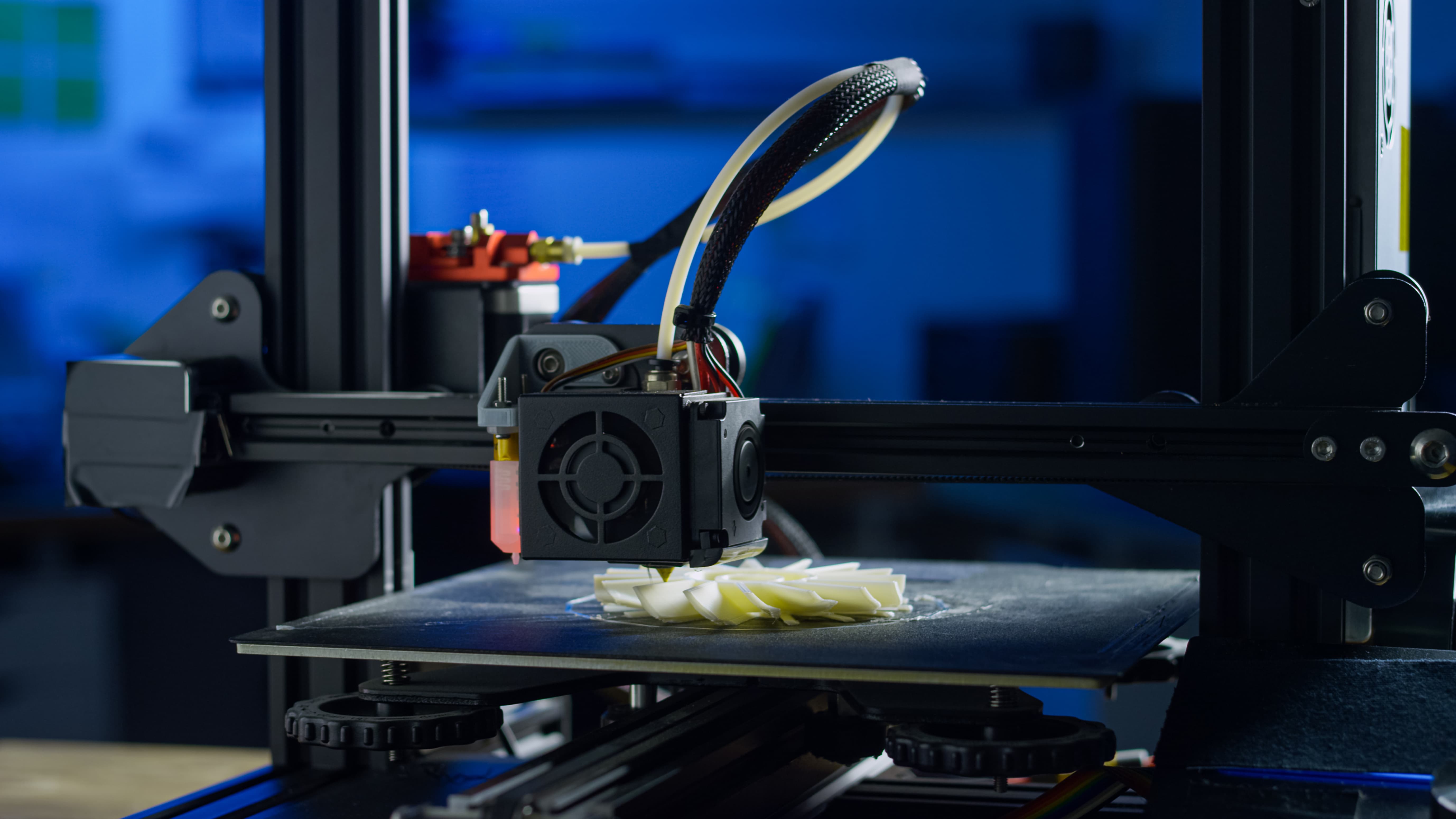
Additive Manufacturing
A broader term for any processes that build objects by adding material, rather than removing it.
CNC (Computer Numerical Control)
The automated control of manufacturing machines using programmed instructions. These instructions are usually written by CAM systems, then interpreted by controllers connected to CNC machines such as lathes, mills, and much more. Relies on precise CAD geometry.
FDM (Fused Deposition Modeling) / FFF (Fused Filament Fabrication)
A 3D printing method that deposits melted thermoplastic material layer by layer. FDM and FFF refer to essentially the same process.
Simulation & Analysis
FEA (Finite Element Analysis)
A numerical method used to simulate physical behavior, such as stress or deformation. One of the core techniques used in CAE is to predict how a design will perform under real-world conditions. Typically operates on mesh-based representations derived from CAD geometry.
Our partner, Ansys, has a really strong, more detailed breakdown of FEA here.
CFD (Computational Fluid Dynamics)
A simulation method used to analyze fluid flow, typically using a surface mesh only. Another key part of CAE workflows, CFD provides insight into how gases and liquids behave around or within a design, helping engineers evaluate performance, efficiency, etc. Reduces reliance on physical testing.
Product & Manufacturing Data
BOM (Bill of Materials)
A list of components required to build a product. Essential for manufacturing and procurement.
PMI (Product and Manufacturing Information)
Non-geometric data attached to CAD models, such as annotations and manufacturing instructions. This information informs digital workflows by embedding critical manufacturing details directly within the 3D models. Often considered a fragile part of CAD data exchange, as not all formats support this information, and it can be lost or degraded between systems.
GD&T (Geometric Dimensioning and Tolerancing)
A system for defining and communicating engineering tolerances. Ensures parts are manufactured within acceptable limits, with intended function preserved when assembled. Often represented as part of PMI within CAD models.
FT/ FTA (Feature Tree/ Feature Tree Analysis, Aka History Tree)
Represents the sequence of operations used to build a CAD model. Functionally, the step-by-step way a model was created, allowing designers to modify earlier features and change how those changes propagate through the design.
Composites
Materials made by combining two or more different substances (typically a matrix and a reinforcement) to create a material with improved properties, such as strength, weight, or durability. Common in industries like aerospace and automotive, composites are often designed and analyzed using CAD and CAE tools, with performance evaluated through methods like FEA.
Visualization & Graphics
Scene Graph
A data structure that organizes and manages graphical objects in a scene. Enables efficient rendering and interaction by ordering object in a hierarchical manner, controlling how they are displayed and transformed.
Shader
A program executed on the GPU to control rendering effects. Shaders determine how the object is drawn, including color, lighting, and visual effects. They are a core part of modern, real-time graphics. Work together with textures and normals to produce the final visual output.
Texture
An image applied to geometry to add visual detail. Allows for complex surface detail without massively increasing the complexity of the model, i.e, replaces modeling every bump in a brick wall. Used alongside shaders and normal vectors to enhance visual realism.
Physically Based Rendering (PBR)
A rendering approach that simulates realistic lighting and materials. Can require more computation than simpler shading models, but modern GPUs are optimized to handle PBR well. Relies on textures, shaders, and lighting data to achieve realistic results.
Point Cloud
A collection of 3D points, typically generated by scanning real-world objects. Often used as a starting point for reconstructing real objects in modeling tools, inspection systems, or comparisons against existing CAD files. Often converted into mesh data or compared against B-Rep models.
Visualization Data
Data used to visually represent models or datasets.
XR (Extended Reality)
XR is an umbrella term that covers AR, VR, and other related technologies.
AR (Augmented Reality)
Overlays digital content onto the real world, allowing users to place and interact with digital models in real-world environments.
VR (Virtual Reality)
Fully Immerses the user in a fully virtual environment.
Developer Concepts
API (Application Programming Interface)
A set of functions used to interact with software.
SDK (Software Development Kit)
A collection of tools and libraries for building applications. Can be open-source or supported by a vendor (like Tech Soft 3D). Learn more about the potential benefits of SDKs here.
Toolkits
Another term for SDKs, a collection of tools and libraries for building applications. Can be open-source or supported by a vendor (like Tech Soft 3D).
Library
Refer to the same collections of code and resources as SDKs and toolkits, with the term varying per markets.
Component Software
The final term we commonly see referring to the same general concept as SDKs, a collection of libraries and tools for building software.
Graphics Engine
A software system responsible for rendering and managing the visual representation of 3D data. It handles tasks such as processing scene graphs, executing shaders on the GPU, and displaying tessellated geometry in real time.
DLL (Dynamic Link Library)
A shared library used by applications at runtime.
WebAssembly
A format that allows compiled code (e.g., C++) to run in the browser.
TypeScript
An extension of JavaScript that adds static typing.
Cloud & Infrastructure
Containers
Packages that include an application and its dependencies for consistent deployment.
Docker
Software used to create and manage containers.
Public Cloud
Cloud infrastructure shared across multiple users.
Private Cloud
Cloud infrastructure dedicated to a single organization.
Looking for More Help?
To learn more about Tech Soft 3D’s end-user applications or developer resources, get in touch to help us learn more about your specific needs and how we might be able to help.