HOOPS Envision vs. HOOPS Visualize: Choosing the Right SDK for CAE and 3D Engineering Applications
Engineering application developers tailor their products for the industry or niche their targeting, with each having very specific needs (hence the demand for their product). Graphics engines and visualization tools are a crucial component of nearly all of these, and broadly fall into two categories: those designed to provide high-performance 3D graphics for CAD, CAM, AEC, manufacturing, and features designed to work with CAE and simulation data.
HOOPS Envision and HOOPS Visualize are each built to serve one of these two categories.
In this blog post, we help you understand the features of each toolkit, the broad workflows they serve, and which might be the right choice for you.
HOOPS Envision vs HOOPS Visualize Overview
HOOPS Envision is designed for CAE workflows. It gives developers a toolkit for CAE data import, analysis, visualization, reporting, and automation, making it a strong fit for applications built around simulation results, meshes, FEA, FEM, CFD, and post-processing.
HOOPS Visualize is designed for 3D engineering graphics across desktop, web, mobile, and AR/VR applications. It is a strong fit for developers building interactive applications for CAD, CAM, AEC, manufacturing, PLM, product configuration, collaboration, and related workflows. The toolkit has separate versions for developers focused on desktop/mobile and those building web-native applications.
| HOOPS Envision | HOOPS Visualize for Desktop | HOOPS Visualize for Web | |
|---|---|---|---|
| Best fit | CAE, FEA, FEM, CFD, simulation post-processing, reporting, and automation | Native desktop, mobile, AR/VR, and advanced engineering graphics applications | Browser-based engineering applications and large model web workflows |
| Primary focus | CAE data import, analysis, visualization, extraction, and sharing | High-performance 3D rendering and interaction for engineering data | Web visualization, model streaming, collaboration, and interactive 3D viewing |
| Typical workflows | Simulation review, CAE post-processing, dashboards, reporting, and automation | CAD, CAM, AEC, manufacturing, PLM, product configuration, and immersive engineering workflows | Web viewers, collaboration tools, product configurators, PLM-connected apps, and online model review |
| Use when | Your application needs to understand and process CAE data | Your application needs native graphics performance and advanced 3D interaction | Your application needs browser-based access to large engineering models |
For developers, the key distinction comes down to what your application needs to understand.
If your software needs to work directly with CAE data, HOOPS Envision is likely the better fit.
If your software needs high-performance 3D graphics for engineering models, HOOPS Visualize is likely the better fit.
Engineering applications depend on more than displaying a model on screen. Developers need to work with the data behind that model, preserve engineering context, support interactive workflows, and give users the tools they need to understand what they are seeing.
A CAE post-processing application may need to read simulation results, understand meshes and element types, extract isosurfaces, animate transient results, and generate reports. A CAD, CAM, AEC, PLM, or manufacturing application may need high-performance 3D graphics, large model viewing, PMI display, model interrogation, web streaming, mobile support, or AR/VR workflows.
What is HOOPS Envision?
HOOPS Envision is a CAE-focused SDK for developers building applications around simulation data.
The toolkit is built on a CAE data structure, which means it understands the data types commonly used in simulation workflows. That includes meshes, nodes, element types, result mappings, scalar results, vector results, tensor results, displacements, and rigid body transformations.
For those who have been in the CAE space or explored similar toolkits in the past, you may have heard of CEETRON Envision. This is the former name of HOOPS Envision, with all the key features of the powerful CEETRON toolkit folded into the HOOPS SDK during Tech Soft 3D's recent product consolidation.
For developers, this matters because CAE applications need more than a general graphics engine. A simulation viewer or post-processing tool needs to understand what the data represents and how users need to interact with it. Practically, this means understanding what a mesh is, how a result plot is not only a color map, how a transient animation is not a simple sequence of rendered frames, etc.
Check out the video to the right to learn how Transvalor leveraged HOOPS Envision to develop simulation visualization capabilities for their product, Forge.
HOOPS Envision gives developers a foundation for building applications that can import, analyze, visualize, report on, and automate CAE workflows across desktop and web applications.
Where HOOPS Envision Fits Best
HOOPS Envision is the better fit when your application is centered around CAE data and simulation workflows.
That includes applications built for finite element analysis (FEA), finite element modeling (FEM), computational fluid dynamics (CFD), simulation post-processing, analysis review, and CAE results sharing.
HOOPS Envision is designed to work with finite element surface and volume data, including static and adaptive meshes, element shapes such as beams, triangles, quads, tets, hexes, pyramids, wedges, and polyhedrons, and result types such as scalars, vectors, and symmetric tensors.
The toolkit also includes CAE-specific data extraction capabilities that developers would otherwise need to build themselves. These include cutting planes, isosurfaces, isovolumes, history plots, length plots, particle traces, transient animations, mode-shape animations, and particle trace animations.
A CAE-focused application also needs to support workflows beyond interactive viewing. Teams may need to automate post-processing, generate HTML reports, create simulation dashboards, or build web applications where users can interrogate CAE results without moving the full workflow into a desktop-only environment.
HOOPS Envision supports these needs with a Python interface that can expose the full feature set for automation and reporting workflows. By providing them with the ability to leverage market-tested versions of these features, HOOPS Envision allows developers to focus their efforts on what makes their product unique, rather than reinventing core functionality.
Accessing CAD Data in HOOPS Envision
Although HOOPS Envision is CAE-focused, CAE workflows often need CAD data too.
Simulation teams frequently need to bring CAD models into preprocessing workflows, compare CAD and CAE data, or present geometry and simulation results in the same application. HOOPS Envision includes a bridge to HOOPS Exchange, the leading CAD data access library, allowing developers to import over 30 CAD formats into Envision.
What is HOOPS Visualize?
HOOPS Visualize is a 3D graphics SDK for building engineering applications across desktop, web, mobile, and AR/VR environments.
This toolkit is built for developers whose core need is high-performance visualization and interaction with 3D engineering data, especially in CAD, CAM, AEC, PLM, manufacturing, product configuration, and collaboration workflows.
HOOPS Visualize is organized around two deployment options: HOOPS Visualize for Desktop and HOOPS Visualize for Web.
HOOPS Visualize for Desktop supports native desktop, mobile, and AR/VR engineering applications. HOOPS Visualize for Web brings the capabilities previously associated with HOOPS Communicator into the HOOPS Visualize product family.
Check out the video to the right to learn how HOOPS Visualize supplies high-powered 3D visualization for Datamine's leading mining application
Both versions are part of the same broader product direction: helping developers build fast, interactive, engineering-focused 3D applications.
HOOPS Visualize for Desktop
HOOPS Visualize for Desktop is built for developers creating native engineering applications where rendering performance, interaction, and control over graphics experience are key requirements. This includes applications where users need to load complex models, inspect geometry, select parts, highlight features, navigate assemblies, display PMI, switch between engineering view modes, and maintain interactive performance with demanding data.
For developers of applications serveing CAD, CAM, AEC, and adjacent workflows, these capabilities are often more important than CAE-specific result processing. Users may need to review a part, inspect an assembly, validate manufacturing data, interact with a building model, or integrate 3D visualization into a larger engineering software platform.
HOOPS Visualize for Desktop also supports mobile and AR/VR workflows, making it a strong fit for teams building immersive or field-ready engineering applications. That can include applications where users need to view, inspect, or interact with 3D engineering data outside a traditional desktop environment.
HOOPS Visualize for Desktop a graphics engine built specifically for engineering applications, built on decades of relevant market experience, rather than a generic 3D engine.
HOOPS Visualize for Web
HOOPS Visualize for Web is a toolkit for developers creating browser-based engineering applications. This includes organizations building web viewers, collaboration tools, PLM-connected applications, product configurators, online review workflows, and other browser-based tools that need to work with large 3D engineering models.
These applications are perfect for modern engineering workflows, with interconnected supply chains, global, distributed teams, and plenty of stakeholders who need to interact with engineering data without a desktop application.
Manufacturing, construction, and product development workflows often involve users who need access to 3D data, but do not need a full authoring tool. They may need to review a model, check PMI, navigate an assembly, add redline annotations, inspect a part, or understand how a design fits into a broader workflow.
HOOPS Visualize for Web supports these needs with large model viewing, interactive data streaming, browser-based model interaction, and engineering-focused viewing features. The toolkit also supports important web application requirements like assembly navigation, PMI and annotation views, cutting planes, redline markup, view management, advanced lighting and rendering options, and flexible model loading strategies.
What happened to HOOPS Communicator?
HOOPS Communicator is now part of HOOPS Visualize. The web-focused capabilities previously associated with HOOPS Communicator are now available under HOOPS Visualize for Web. Developers building browser-based engineering applications should now look at HOOPS Visualize for Web for large model viewing, model streaming, interactive web visualization, redline markup, PMI views, and related web graphics workflows.
When HOOPS Envision is the Better Fit
Choose HOOPS Envision when your application is fundamentally about CAE data.
This is the toolkit for developers whose users need to work with simulation results, finite element meshes, volume data, result mappings, scalars, vectors, tensors, transient data, particle traces, or CAE-specific extraction and post-processing workflows.
HOOPS Envision is also the stronger fit when your application needs reporting or automation around simulation data. If your team needs to generate dashboards, automate post-processing, produce HTML reports, or build workflows where users can evaluate simulation results in either desktop or web environments, Envision is likely the better foundation.
The simplest way to think about it is this: if your application needs to understand CAE data as CAE data, start with HOOPS Envision.
When HOOPS Visualize is the Better Fit
Choose HOOPS Visualize when your application is centered around 3D engineering graphics, model interaction, and visualization across desktop, web, mobile, or AR/VR environments.
That includes applications for CAD viewing, CAM workflows, AEC visualization, product lifecycle management, model-based collaboration, digital work instructions, product configuration, manufacturing review, and other workflows where users need to load, inspect, navigate, and interact with engineering models.
HOOPS Visualize is also the better fit when web deployment is a primary requirement, and your application needs browser-based access to large engineering models. HOOPS Visualize for Web supports workflows where 3D data needs to move beyond specialist desktop users and become accessible across teams, departments, or customers.
The simplest way to think about it is this: if your application needs a high-performance graphics engine for interactive engineering visualization, start with HOOPS Visualize.
Where The Two Products Overlap
HOOPS Envision and HOOPS Visualize both support 3D engineering visualization, and both can play a role in applications that involve complex engineering data.
The overlap is easiest to see in workflows where CAE and CAD data both matter. A simulation application may need to show CAD geometry alongside CAE results. A design review tool may need to present engineering models in a way that supports downstream analysis. A browser-based application may need to make complex data easier to share with non-specialist users.
Bottom Line: HOOPS Envision vs. HOOPS Visualize
Choosing between HOOPS Envision and HOOPS Visualize comes down to the kind of engineering application you are building.
For developers, this distinction matters because choosing the right SDK affects far more than rendering. It shapes the data model, the user workflows you can support, the amount of functionality your team needs to build internally, and how quickly you can bring a reliable engineering application to market.
If you are building a CAE-focused application, HOOPS Envision gives you a CAE-first foundation.
If you are building an interactive 3D engineering application for CAD, CAM, AEC, PLM, manufacturing, web collaboration, or immersive engineering workflows, HOOPS Visualize gives you the graphics foundation for that experience.
If you want tailored guidance as to which toolkit is best for you, or simply want to get in touch, contact our team to talk through your development goals, technical requirements, and product roadmap.

FAQs About HOOPS Envision and HOOPS Visualize
What is the difference between HOOPS Envision and HOOPS Visualize?
HOOPS Envision is a CAE-focused SDK for applications that need to import, analyze, visualize, report on, and automate simulation data. HOOPS Visualize is a 3D graphics SDK for building interactive engineering applications across desktop, web, mobile, and AR/VR environments. In simple terms, HOOPS Envision is built around CAE data and simulation workflows, while HOOPS Visualize is built around high-performance 3D engineering graphics.
When should developers choose HOOPS Envision?
Developers should choose HOOPS Envision when their application needs to work directly with CAE data. This includes simulation results, finite element meshes, volume data, scalars, vectors, tensors, cutting planes, isosurfaces, particle traces, animations, reporting, and post-processing automation. It is best suited for CAE, FEA, FEM, CFD, and simulation-focused applications.
When should developers choose HOOPS Visualize?
Developers should choose HOOPS Visualize when they need a high-performance 3D graphics engine for interactive engineering applications. This includes CAD viewers, CAM applications, AEC visualization tools, PLM-connected workflows, product configurators, manufacturing review tools, browser-based collaboration platforms, mobile engineering apps, and AR/VR experiences.
What happened to HOOPS Communicator?
HOOPS Communicator is now part of HOOPS Visualize. The web-focused capabilities previously associated with HOOPS Communicator are now available under HOOPS Visualize for Web. Developers building browser-based engineering applications should now look at HOOPS Visualize for Web for large model viewing, model streaming, interactive web visualization, redline markup, PMI views, and related web graphics workflows.
Can HOOPS Envision and HOOPS Visualize both work with CAD data?
Yes, but they are designed for different workflows. HOOPS Visualize is built for high-performance 3D graphics and interaction with engineering models, including CAD, CAM, AEC, and related workflows. HOOPS Envision is CAE-focused, but it can bring CAD data into simulation workflows through a bridge to HOOPS Exchange. This can be useful when CAE applications need to compare geometry and simulation results or include CAD models in preprocessing and post-processing workflows.
What Happened to CEETRON Products?
Bolstered by its acquisition by Tech Soft 3D in 2020, the CEETRON name has long been trusted for its industry-leading capabilities in simulation data access, meshing, solving, and visualization.
Today, the features of the former CEETRON products are now a part of the HOOPS product family.
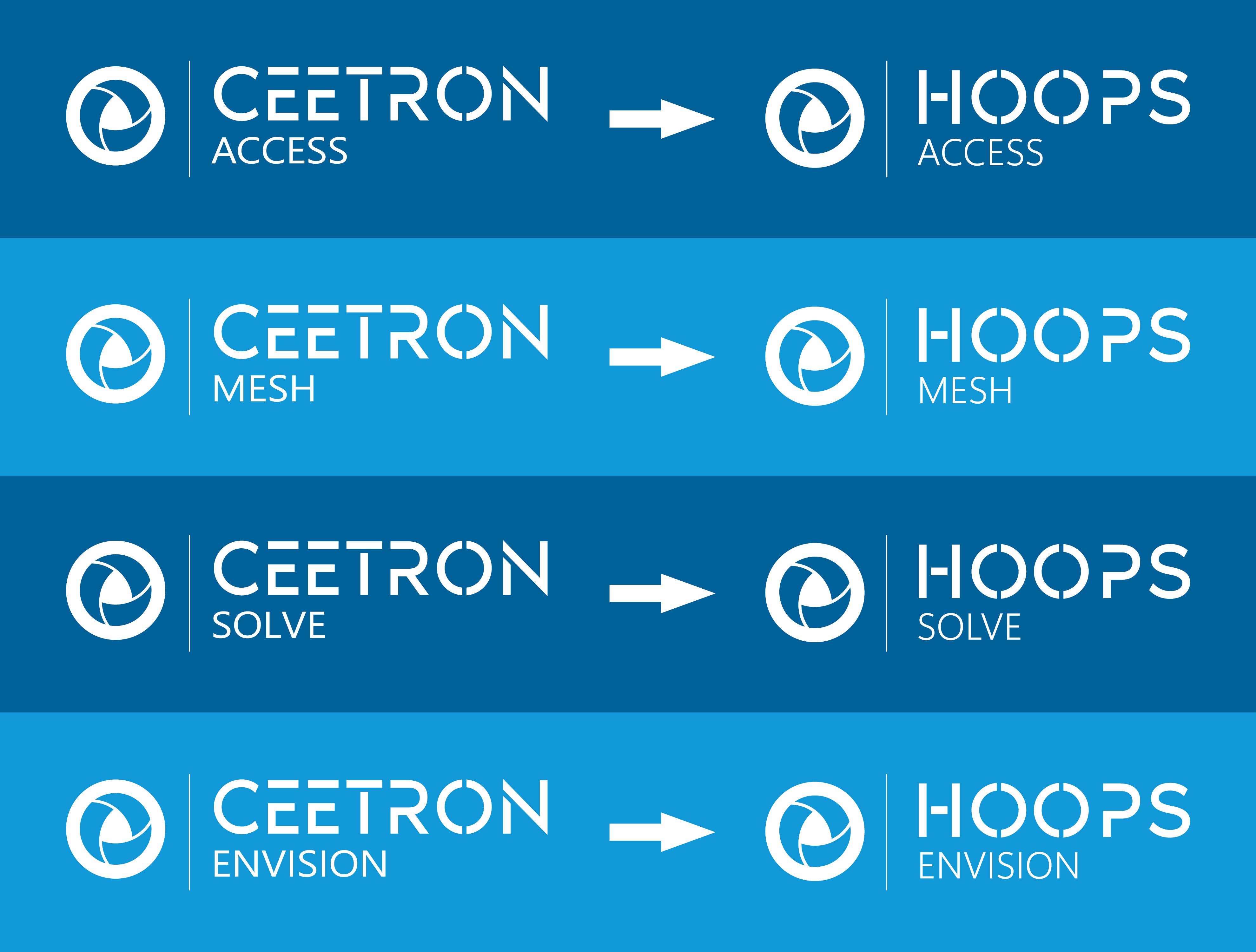
CEETRON Access is now HOOPS Access, CEETRON Mesh is now HOOPS Mesh, CEETRON Solve is now HOOPS Solve, and CEETRON Envision is now HOOPS Envision.