
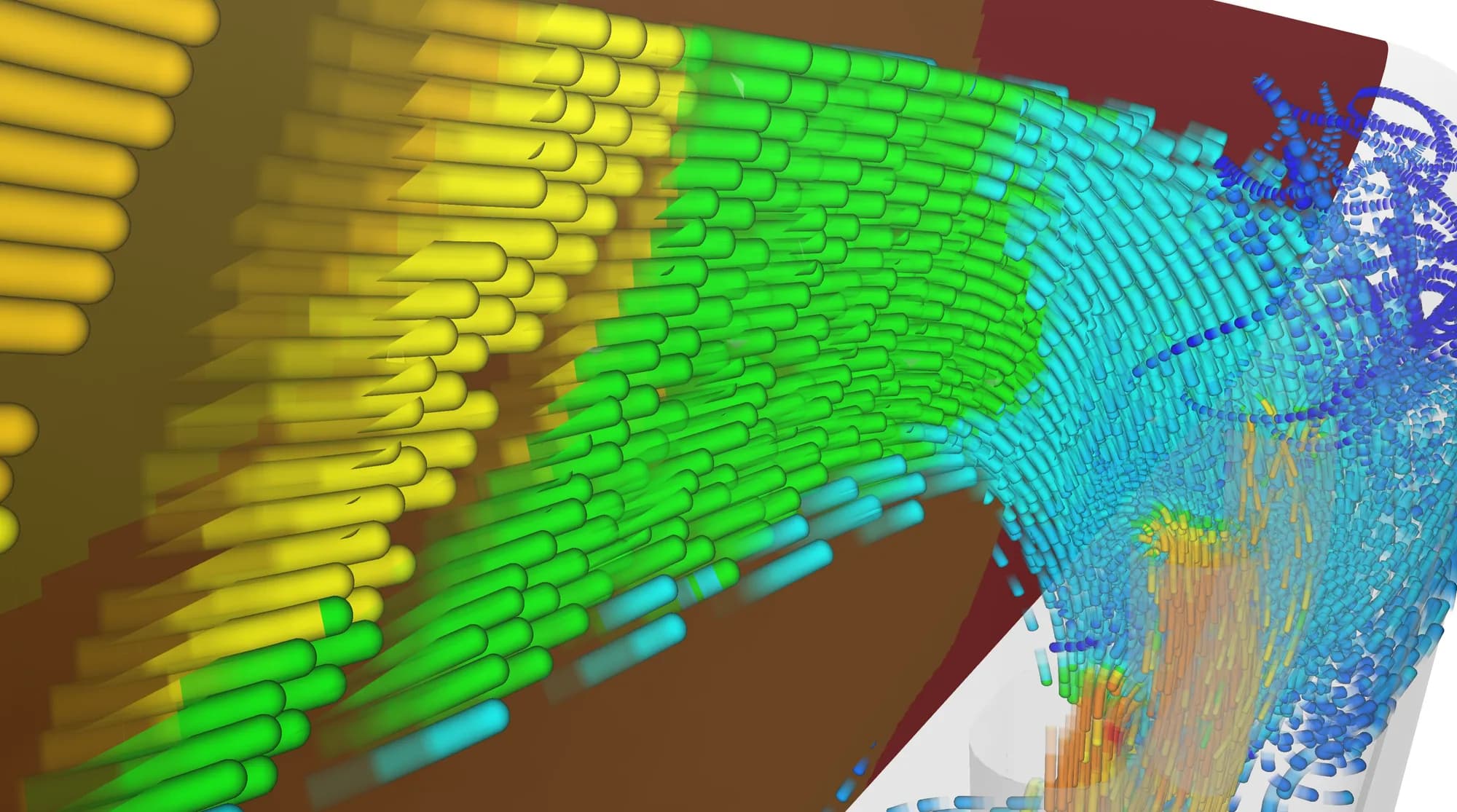

Unified Interoperability SDK for CAE File Formats
Streamline your CAE application development and gain instant access to all the file formats you need with HOOPS Access. Our universal solution supports reading and writing CAE data through a unique programming interface and it's underlying FEM model.

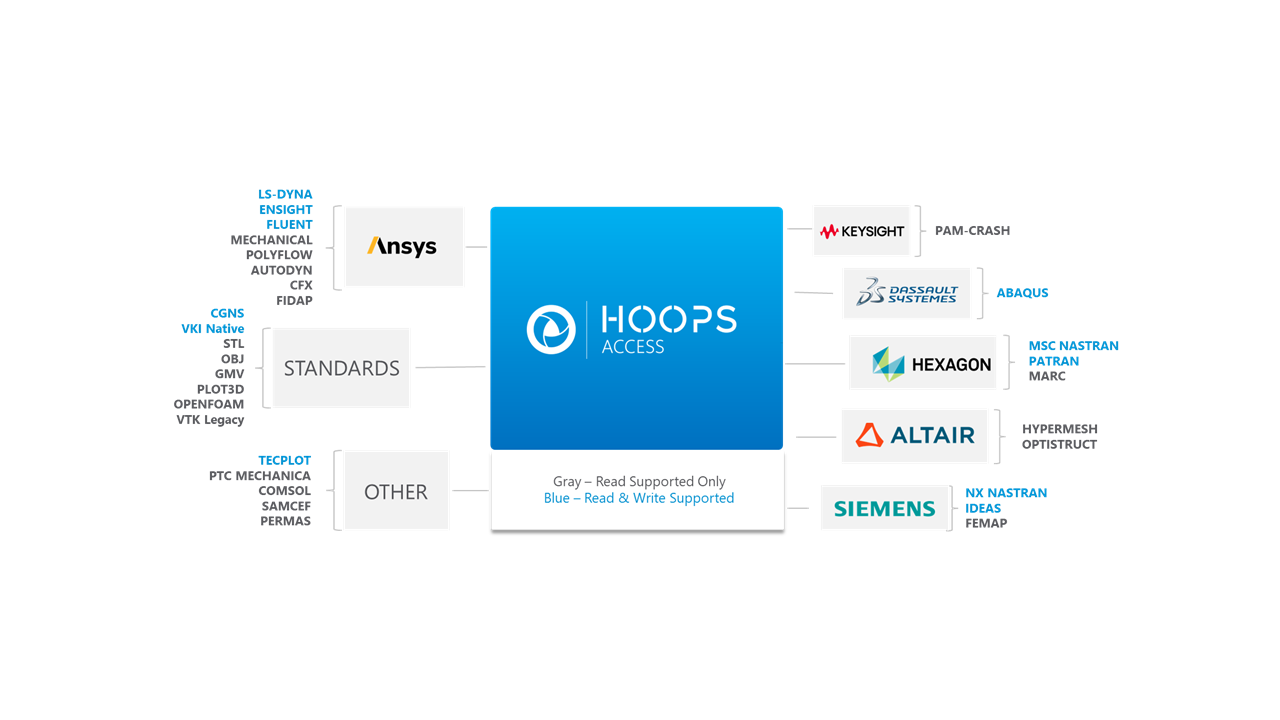
HOOPS Access is a vendor-neutral SDK that allows you to enhance your application development efficiency. Gone are the days of developing and maintaining in-house readers and writers. Speed up your time to market and reduce support costs by integrating pre-built support for reading and writing a wide range of industry-standard CAE file formats, both for simulation setup data and results.
Features & Benefits
Easily add reading and writing capabilities to your CAE application and expand its interoperability with popular simulation tools with the HOOPS Access software development kit (SDK).
Broadest Format Coverage
HOOPS Access supports reading and writing data to all the places you need, from market-leading proprietary CAE software packages to open-source applications and everything in between. With reading capabilities for over 30 formats and writing to more than 10, your application will be ready to handle all essential CAE data.
Vendor-Neutrality
As a vendor-neutral company – i.e., not a competitor - Tech Soft 3D is uniquely positioned to communicate openly with simulation package providers, helping you get updates and format changes quickly and reliably.
Expand Your CAE Market
With minimal effort, HOOPS Access opens your application to a broad audience of CAE engineers. Its compatibility with over 30 industry-standard formats, including Ansys, Nastran, Abaqus, Fluent, and OpenFOAM, ensures your product integrates seamlessly into the standard workflows of end-user organizations.
Solver-Backed Quality Check
To ensure data quality in HOOPS Access, Tech Soft 3D utilizes internal solvers to ensure that the data is accurate and reliably produces the same results over time.
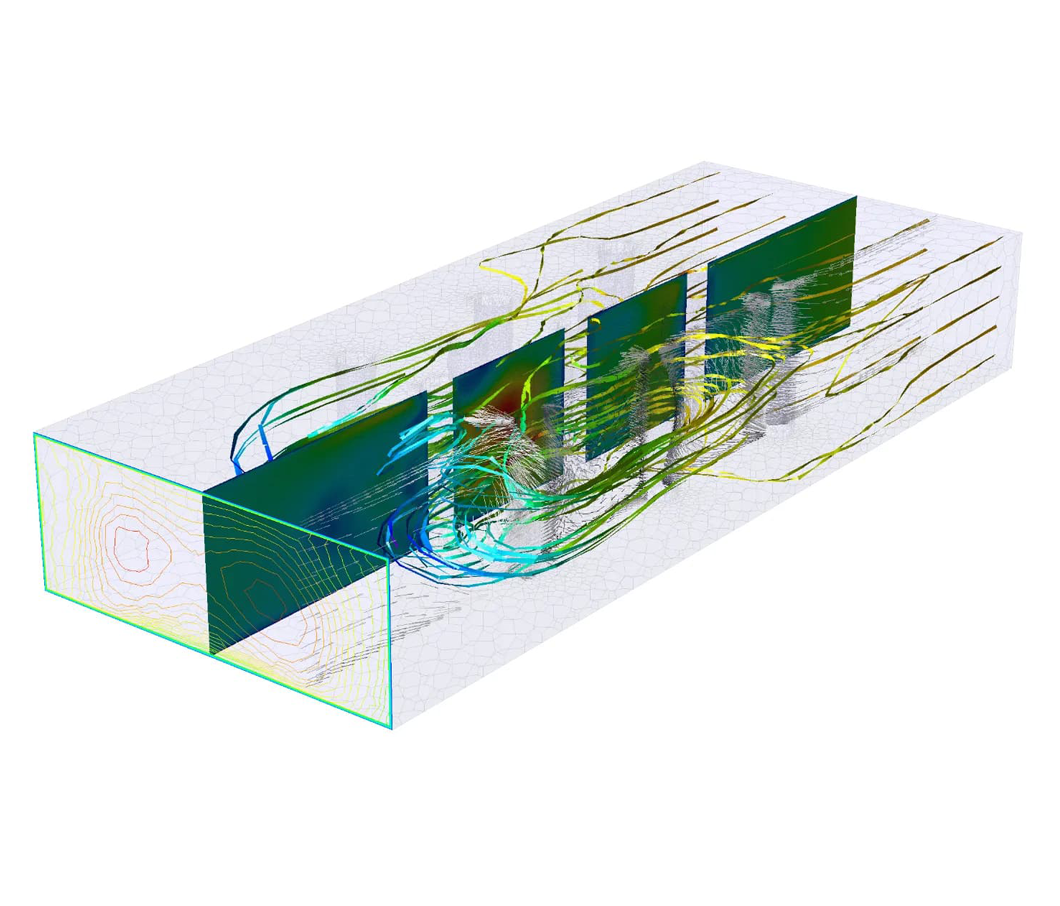
HOOPS Access operates on an internal universal FEM data model that goes beyond geometry and fields. The toolkit also provides auxiliary model information such as global properties, element physical properties, material properties, function properties, solution properties, loads, constraints, multipoint constraints, initial condition cases, contact surfaces, analytic surfaces and units.


Access is Just the Beginning
Learn more about the full suite of Tech Soft 3D CAE products.
HOOPS Mesh
CAE SDK for fail-free automatic mesh generation
HOOPS Solve
High performance CAE platform to build and solve FEM models
HOOPS Envision
SDK for remote and desktop CAE data analysis and visualization
Case Studies
Powering Engineering Automation at Synera with HOOPS Toolkits
HOOPS SDKs Support nTop in Bringing the Capabilities of Additive Manufacturing to New Markets
Blogs
What Happened to CEETRON Products: How HOOPS Toolkits Continue CEETRON's Innovation
CAE Tailwinds Are Creating a Development Bottleneck: What’s the Solution?
HOOPS Product Update 2026
Frequently Asked Questions (FAQ)
What CAE formats does HOOPS Access support?
HOOPS Access supports a variety of CAE formats. For the full list, see the Supported Formats documentation.
Read & Write Support:
Abaqus, CGNS, Ensight, Fluent, IDEAS, LS-DYNA, MSC NASTRAN, PATRAN, TEC Plot, VKI Native
Read Only Support
Autodyn, CFX, COMSOL, FIDAP, FEMAP, GMV, Hypermesh, MARC, Mechanical, OBJ, OpenFOAM, Optistruct, PAM-CRASH, PERMAS, PLOT3D, Polyflow, PTC Mechanica, SAMCEF, STL, VTK Legacy
Does HOOPS Access support both reading and writing of CAE files?
Yes. HOOPS Access can read and write a wide range of CAE file formats. As one of the most comprehensive CAE data translation solutions available, Tech Soft 3D offers broad format coverage and vendor-neutral technology. This ensures you receive updates and format changes quickly and reliably.
What is the universal FEM model in HOOPS Access?
The universal FEM (Finite Element Model) in HOOPS Access provides a consistent, vendor-neutral structure for reading and writing CAE input and result files. By mapping diverse file formats to a single, unified model, it simplifies integration, ensures compatibility across applications, and speeds up development for CAE software solutions.
It provides more than just field data and geometry, providing you with information such as:
Global properties
Element physical properties
Material properties
Function properties
Solution properties
Loads
Constraints
Multi-point constraints
Initial condition cases
Contact surfaces
Analytic surfaces
Units
What happened to CEETRON Access?
CEETRON Access is now HOOPS Access.
The CEETRON SDKs have been rebranded under the HOOPS product family. They retain the same powerful CAE capabilities, performance, and features, and only the naming has changed. This update unifies our technology under one brand. For details, see our official blog post.
Can I try HOOPS Access myself?
Yes, we offer a free, 60-day evaluation period so you can test HOOPS Access and even build an early proof-of-concept. With our free trial, you get full access to HOOPS Access with the added support of our technical experts. You can start your free trial at manage.techsoft3d.com.
What operating systems does HOOPS Access support?
HOOPS Access supports Windows and Linux. For full details on supported versions and configurations, see the Supported Platforms documentation.
What programming languages does HOOPS Access support?
HOOPS Access supports C, C++, C#, and Fortran.
Does HOOPS Access require additional licenses for third-party CAE solver technology?
Yes, access to certain third-party CAE file formats requires a separate bundle license. For example, reading Altair HyperWorks formats requires the HOOPS Access HyperWorks bundle.
Can I use AI to build my own CAE data access toolkit?
AI can assist in building custom CAE data readers, with some success across certain file formats. However, output quality can vary significantly, and results are inconsistent across the range of formats typically required in CAE workflows.
HOOPS Access eliminates that uncertainty, providing a single, production-ready SDK with comprehensive CAE format coverage, maintained and updated by Tech Soft 3D.
What are the advantages of HOOPS Access over building a custom CAE data access solution?
While it is possible to develop your own toolkit, HOOPS Access provides a single, trusted solution for reading and processing all major CAE file formats. This means you only need to maintain one integration point rather than managing multiple third-party libraries or custom bridges for each solver format, reducing development overhead and long-term maintenance cost.
Can HOOPS Access visualize simulation results directly?
No, HOOPS Access is designed for CAD data access and visualization workflows but does not support direct visualization of simulation results.

The Tech Soft 3D Product Forum offers a knowledge base and a platform for asking any questions you may have. Our community is dedicated to helping you.