
Work Procedure
This demo showcases HOOPS Visualize for Web's (formerly HOOPS Communicator) powerful JavaScript API, by programmatically creating an animation.
Overview
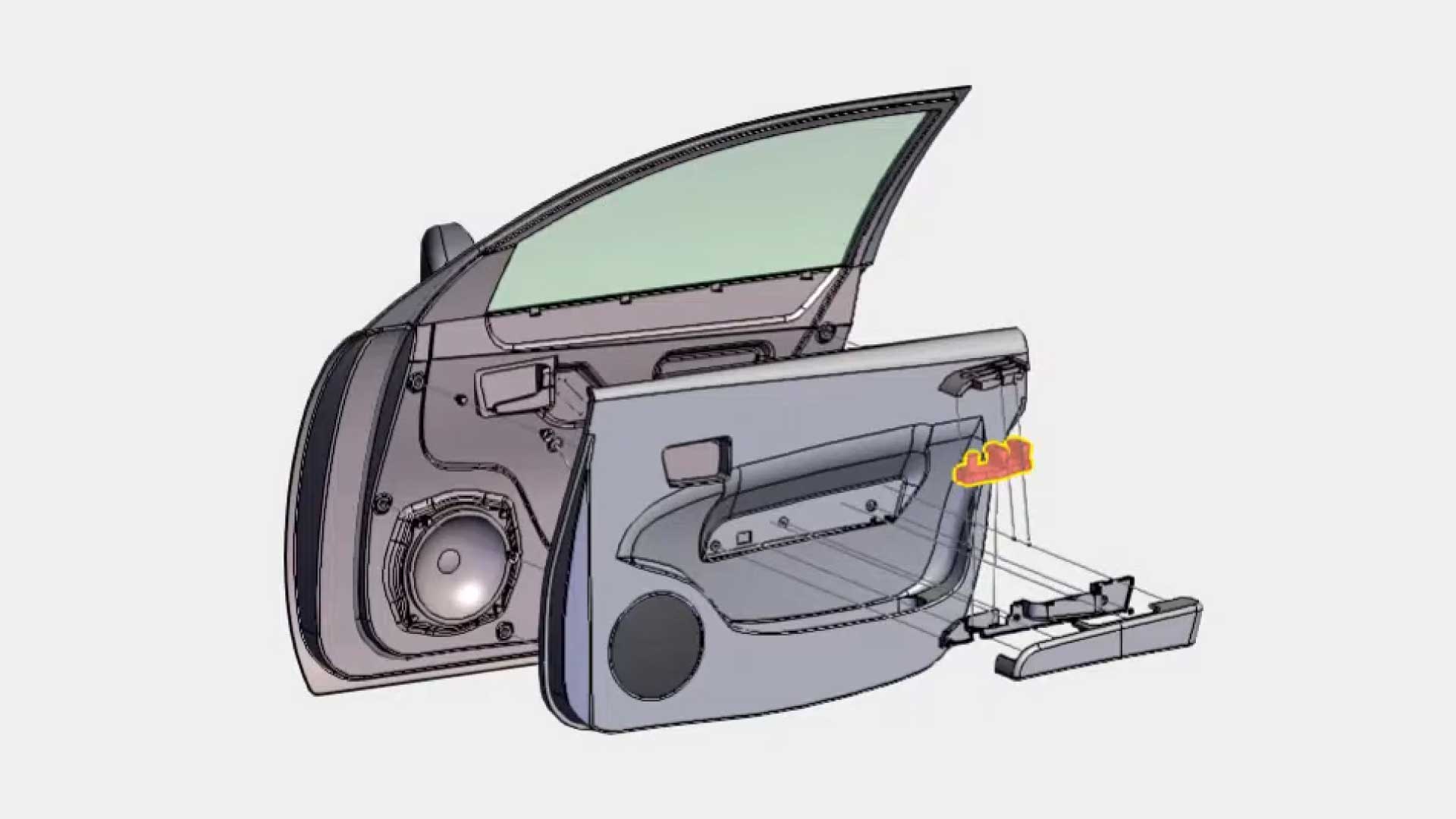
This demo web application showcases HOOPS Visualize and HOOPS Exchange. HOOPS Exchange has been used to read and convert an automobile door, interior panel, armrest, and window switch into a lightweight streaming form. HOOPS Visualize for Web (formerly HOOPS Communicator) displays the CAD data in a 3D viewer as part of a thin client application. The front-end component library provides unique styling of the application.
Automatic highlighting within the main 3D viewer forces the display of individual parts into a second 3D view for inspection. Metadata about that part, possibly from both the CAD model or an external database, like price, can be linked to a unique ID and displayed.
Because of HOOPS Visualize for Web's (formerly HOOPS Communicator) powerful JavaScript API, we can programmatically create an animation that shows disassembly and reassembly of the door, including detailed zoomed views. We can change the view, add redline markup, and change the visibility and opacity of objects.
Explore HOOPS Visualise for Web
This demo was created using HOOPS Visualize for Web (formerly HOOPS Communicator).
Try this Building a Basic Application tutorial. The same concepts were used to build this demo.
Reference the HOOPS Visualize for Web (formerly HOOPS Communicator) Documentation.
Sign up for a free evaluation.
Jump straight into coding with the 3D Sandbox
Join our Community Forum
Questions or Feedback?
We are looking for feedback and how this toolkit can be improved to meet your needs! Please connect in our forum.
You can also sign-up for a 60-day trial of the HOOPS Web Platform.

Need to contact us? Email us at labs@techsoft3d.com.